10-EN
01GB05ICS-X7HD.fm
ALPINE ICS-X7HD 68-21057Z34-A (EN/FR/ES)
Home Screen and Favorites
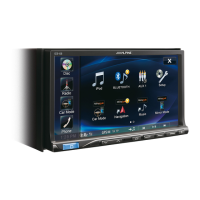
You can easily switch to the application of your choice from the Home Screen or Favorites. The Home Screen displays icons for applications usable
with this unit. Favorites is a shortcut function that displays up to 4 icons on the screen you are using. The icon layout is customizable for your
convenience.
Switching Between Simple Mode and Info Mode
The media screen display has two options to select from, Simple or Info mode. Info mode has additional operation buttons in the display.
Features
Home button
Touch the Home button.
Press the Home button.
Home Screen
(see page 14)
Favorites (see page 15)
Touch an application
icon to switch to that
application.
Simple mode
Touch .
Info mode
01GB00ICS-X7HD.book Page 10 Friday, October 12, 2012 5:20 AM



 To Next Page