User Setup
User Setup Operation
The following steps 1 to 4 are common operations
to each “Setting item” of User Setup. Refer to each
section for details.
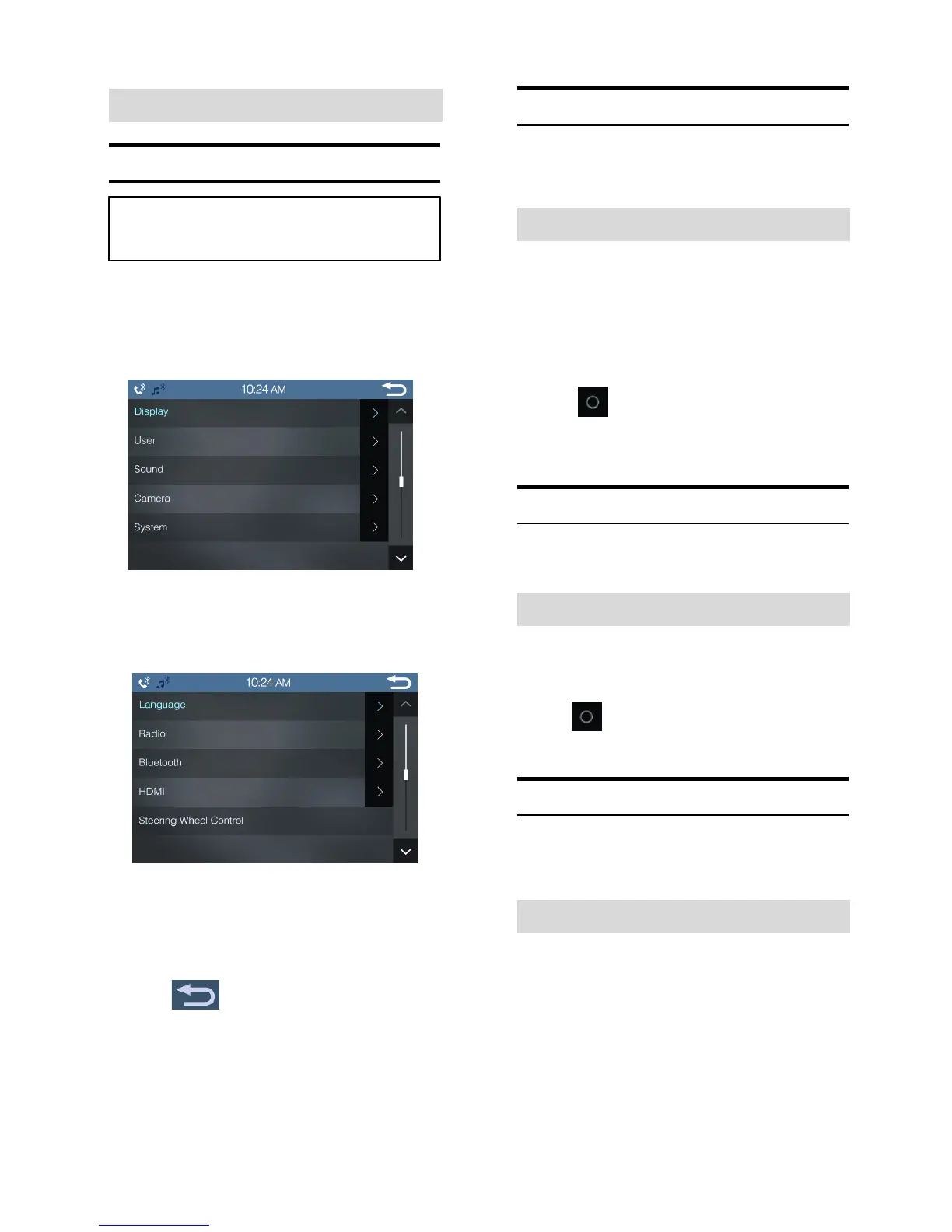
1 Touch [Setup] icon in the main screen.
The Setup main screen is displayed.
2 Touch [User].
The User Setup screen appears.
3 Select the desired item.
Setting items: Language / Radio / Bluetooth / HDMI /
Steering Wheel Control
4 Touch to return to the previous screen.
Immediately after changing the settings of User Setup
(While the system is writing data automatically) do not turn
the ignition key to OFF. Otherwise, the settings may not be
changed.
Language Setting
[Language] is selected on the User setup menu in step 3.
Refer to “User Setup Operation”.
Setting the Menu Language
The Setup menu, feedback information, etc. for this unit
can be changed to appear in the selected language.
Setting item: Language Selection
Setting contents: English (Initial Setting) / Thai /
Arabic / Indonesia
•
Touch to confirm the language and display the
screen in the specified language.
Radio Setting
[Radio] is selected on the User setup menu in step 3. Refer
to “User Setup Operation”.
Setting the Frequency step for FM Radio
Setting item: Frequency step
Setting contents: 50kHz (Initial Setting) / 100kHz
•
Touch to select the specified frequency step.
Bluetooth Setting
[Bluetooth] is selected on the User setup menu in step 3.
Refer to “User Setup Operation”.
Setting Pairing Automatically
When the IVX-W200E device is on, you can set whether to
connect the last paired smartphone automatically or not.
Setting item: Automatic pairing
Setting contents: Off / On (Initial Setting)
On: When the device is on, it will be paired automatically
Off: When the device is on, it will not be paired
automatically



 To Next Page