24-EN
Setup Before Using
BLUETOOTH is a wireless technology allowing communication
between a mobile device or personal computer over short distances.
This enables a hands-free call or data transmission between
BLUETOOTH compatible devices. BLUETOOTH transmission is
available in the unlicensed 2.4 GHz spectrum if the distance between
devices is within 10 meters. For details, refer to the BLUETOOTH
Home page (http://www.bluetooth.com).
Notes
• Depending on the BLUETOOTH version, a BLUETOOTH compatible
device may not be able to communicate with this unit.
• Proper function of this unit with all BLUETOOTH compatible devices
is not guaranteed. For handling of the BT compatible device, consult
your ALPINE dealer or ALPINE website.
• Depending on the surroundings, BLUETOOTH wireless connection
may be unstable.
• When you place a call, or perform setup operations, be sure to stop your
car in a safe place.
• Depending on the connected BLUETOOTH compatible device(s), the
function may differ. Also refer to the Owner’s Manual of the connected
device(s).
• When you search for this unit using the BLUETOOTH compatible
phone, the unit name is displayed as “CDE-153Series” /
“UTE-52Series”.
Before using the BLUETOOTH function, the following settings need to
be made.
Set BT IN to ON when you want to use Hands-Free phone
or BT Audio function. Refer to “Setting the BLUETOOTH
Connection (BT IN)” on page 25.
Note
• Before using BLUETOOTH function, it must be paired with this unit.
Refer to “How to connect to a BLUETOOTH compatible device
(Pairing)” on page 24.
For details on the control from a BLUETOOTH compatible device, refer
to the Owner’s Manual of the BLUETOOTH compatible device.
1
Using your BLUETOOTH compatible device, select the
“CDE-153Series” / “UTE-52Series” for pairing.
For BLUETOOTH compatible device with SSP
(Secure Simple Pairing)
2-1
Turn the Rotary encoder to change the head unit display
from “PAIR NO” to “PAIR YES”, and then press ENTER.
If “PAIR NO” is selected, the connection will be canceled.
For BLUETOOTH compatible device without SSP
(Secure Simple Pairing)
2-2
Input the PIN code (“0000”) in a BLUETOOTH compatible
device.
Note
• The PIN code is fixed as “0000”.
3
If the pairing was successful, “CONNECTED” is displayed
for a few seconds. The head unit then returns to its
previous state.
Auto pairing with an iPod/iPhone
When an iPod/iPhone is connected to the USB port, the unit will
automatically pair with it.
1
Make sure USB PAIR is set to ON. (Refer to “Setting the
Auto Pairing with iPod/iPhone” on page 25)
2
Connect an iPod/iPhone to this unit’s USB port.
3
Turn the Rotary encoder to select “PAIR YES”, and then
press ENTER.*
If “PAIR NO” is selected, the connection will be canceled.
* Depending on the iOS version, you may need to turn on the
Bluetooth function manually on the iPod/iPhone side, then
perform this step.
4
If pairing is successful, “CONNECTED” is displayed for a
few seconds. The head unit then returns to its previous
state.
Notes
• If the device has been paired with this unit previously, it will not USB
Pair automatically.
• If the connection is unsuccessful, “FAILED” is displayed.
• After a successful pairing, the two devices should connect automatically
whenever the vehicle’s ignition is turned ON. If the auto reconnect fails,
try to connection manually.
• Set “VISIBLE M” to VISI M ON to enable this unit to be recognized by
a BLUETOOTH compatible device, refer to “Setting the Visible Mode”
on page 25.
BT Hands Free Calling
About BLUETOOTH
Before Using BLUETOOTH Function
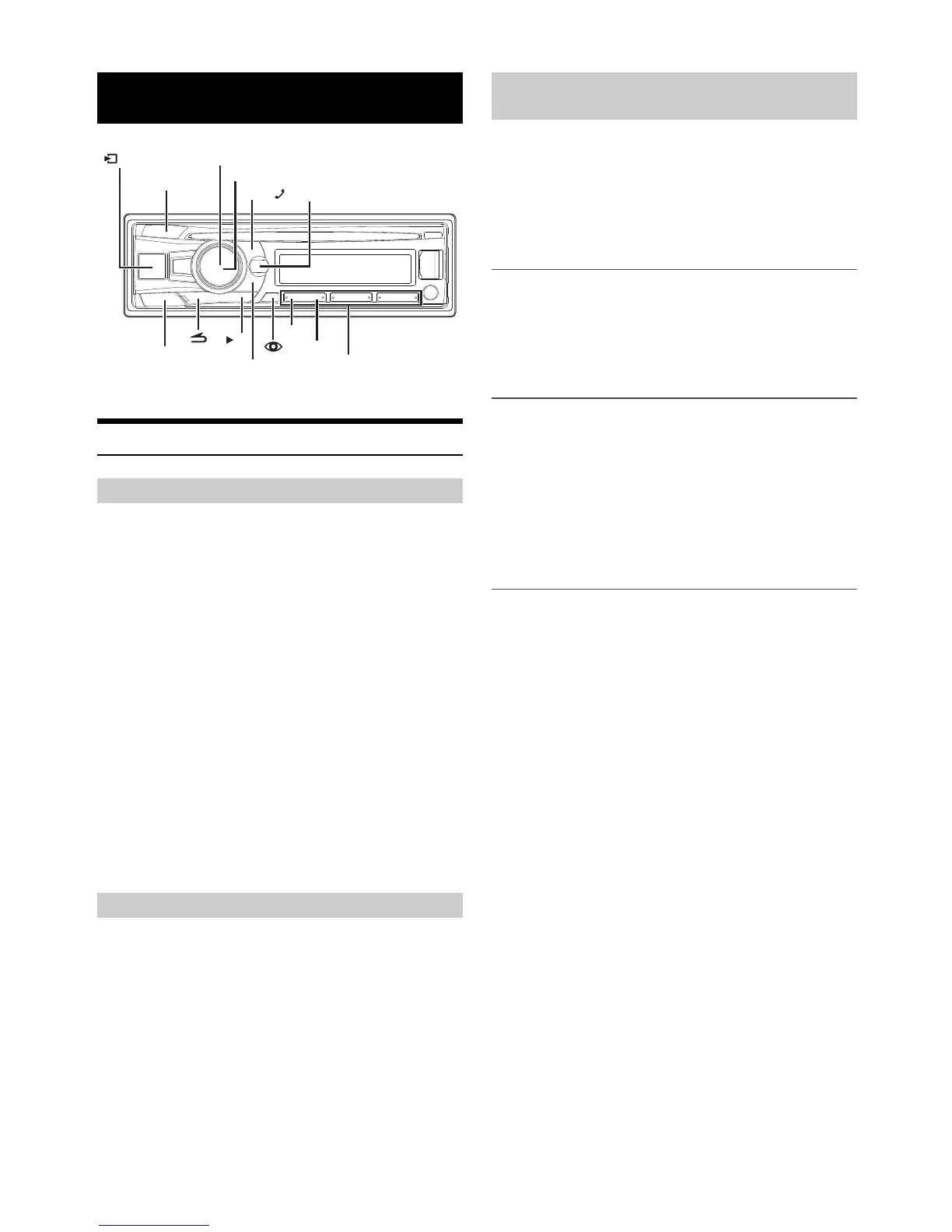
/SOURCE
/ II
BAND
ABC SEARCH
AUDIO/SETUP
1
2
/ENTER
/VOICE CTRL.
Rotary encoder
Preset buttons
(1 through 6)
How to connect to a BLUETOOTH
compatible device (Pairing)



 To Next Page