26-EN
Note
• Depending on the paired Smartphone, the following functions may not
be available even though the Alpine TuneIt App version is updated.
Receiving Notification
When the Smartphone connected to this unit receives notification from
Facebook, the unit’s back lighting and the V indicator blink
(depending on the Alpine TuneIt App settings on the phone). At the
same time, the user’s name is shown in the display (20 characters
maximum). Play back the notification via TTS (Text To Speech) by the
following procedure.
1
While receiving Notification from Facebook, press
VSOURCE button.
Notification Menu screen is displayed.
2
Turn the Rotary encoder to select the desired mode, and
then press ENTER.
LIKE
*1
REPLAY NEXT PREVIOUS TTS VOLUME
*2
*1 Not displayed when the received Notification is Message type.
*2 It can also be set in SETUP section. For details, refer to “Setting
the TTS (Text To Speech) volume” on page 30.
Notes
•Press t to return to the previous mode.
• A new received Notification prompt will last for 30 seconds. If there is
no operation within 30 seconds, the unit will return to normal mode.
• In some situations, such as the unit is powered off or during a call, etc.,
notification of the Smartphone will not be prompted by this unit.
• In 3WAY mode, the TTS sound is output from all of speaker in car. In
2WAY mode, the TTS sound is only output from Front Left/Right
speaker.
Displaying Notification List
You can view the received Notification from Facebook in the connected
Smartphone via this unit.
1
Press and hold VSOURCE for at least 2 seconds.
The received Notification will be displayed according to when it
was posted.
2
Turn the Rotary encoder to select the desired Notification,
and then press ENTER.
3
Then go to step 2 of “Receiving Notification”.
Notes
• When there is no Notification, “NO NOTIF” will be displayed.
• The displayable amount of the Notification list depends on the
connected Smartphone.
• If no operation is performed for 60 seconds, the unit will return to
normal mode automatically.
Setting
You can flexibly customize the unit to suit your own preferences and
usage. From the SETUP menu, GENERAL Setting, DISPLAY Setting,
etc., can be modified.
1
Press and hold YSETUP for at least 2 seconds to
activate the SETUP mode.
2
Turn the Rotary encoder to select the desired item, and
then press ENTER.
AUDIO
*1
GENERAL DISPLAY TUNER iPod APP
BLUETOOTH
*2
(e.g. Select GENERAL)
GENERAL:
AUTO CLOCK CLOCK ADJ
*3
PWR CLOCK MENU LANG
AUX SETUP AUX NAME
*4
INTERRUPT PLAY MODE
*5
STAY ON DEMO MODE STEERING OPENING
DISPLAY:
ILLUMINATI DIMMER DIMM LEVEL
*6
TEXTSCROLL
SCROLLTYPE
TUNER:
AF
*7
REGIONAL
*8
PI SEEK
*9
FM SET
iPod:
iPod LIST
APP:
ALPINE APP TTS VOLUME
*1 Refer to “Sound Setting” on page 17.
*2 Refer to “Bluetooth SETUP” on page 31.
*3 Refer to “Setting Time” on page 10.
*4 Displayed only when AUX SETUP is set to ON.
*5 CDE-193BT only.
*6 Not displayed when “DIMMER” is set to “OFF”.
*7 Refer to “Turning AF (Alternative Frequencies) ON/OFF” on
page 12.
*8 Refer to “Receiving RDS Regional (Local) Stations” on page 12.
*9 Refer to “PI SEEK Setting” on page 12.
3
Select an Item with the Rotary encoder, and then press
ENTER.
(e.g. Select AUX SETUP)
Facebook Notification Function
LIKE: The Smartphone feedbacks to Facebook with “Like”,
and meanwhile, the received Wall Posts or
Comments are played back by TTS (Text To
Speech).
REPLAY: To play back Notification by TTS (Text To Speech)
again.
NEXT: To select the next Notification.
PREVIOUS: To select the previous Notification.
TTS VOLUME: To adjust the playback volume of TTS (Text To
Speech).
SETUP
Use steps 1 to 5 to select one of the SETUP modes to modify.
See the applicable section below for details about the
selected SETUP item.
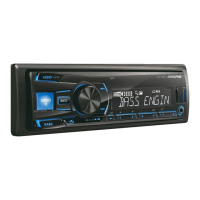
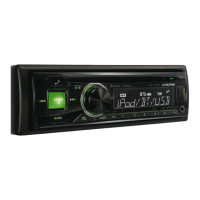
/SETUP
/ENTER
DIM.
6
/SOURCE
Rotary encoder



 To Next Page

