Alphanumeric Special characters Symbols
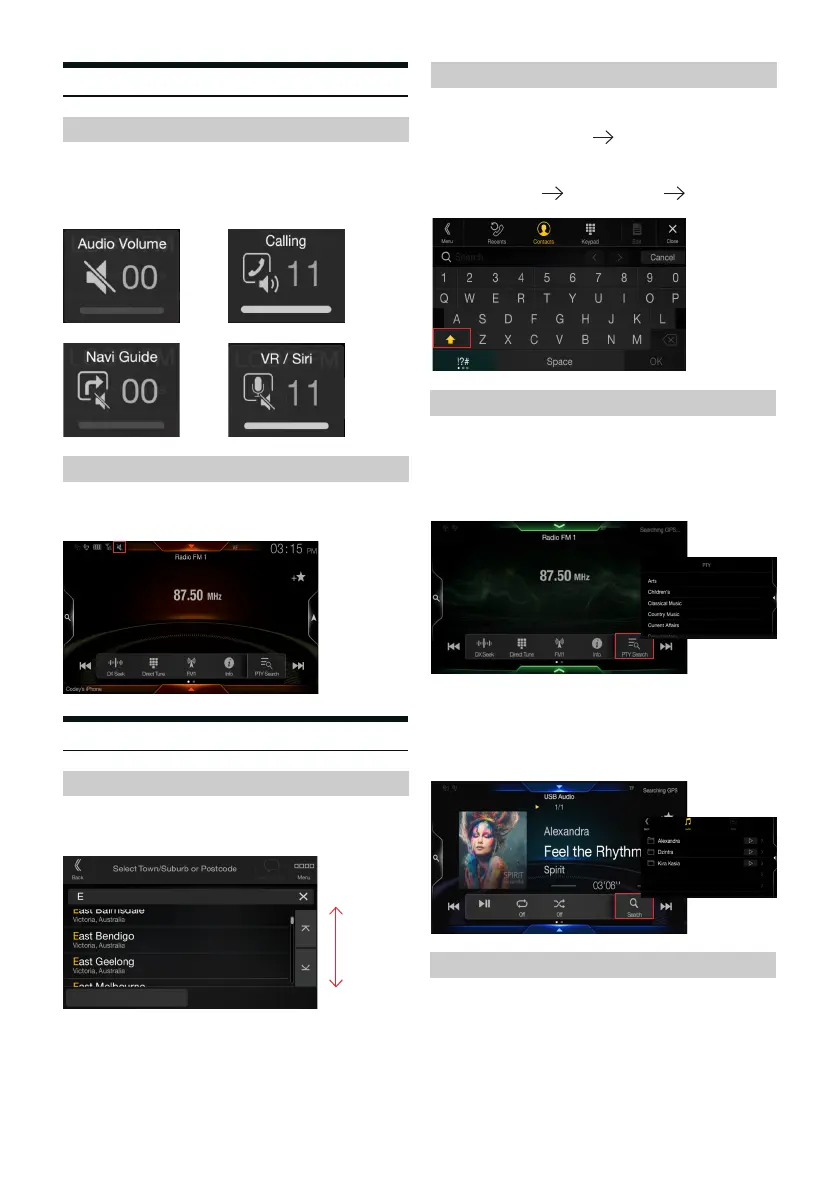
Shi key added to the keyboard to choose between lower-case and
upper-case letters
!?# key will now operate through a toggle function.
A
Two swipe function to view PTY in the radio source is removed and
replaced with a so-key to reduce the amount of steps required to view
PTY options
Two swipe function to search within the USB/Bluetooth sources is
removed and replaced with a so-key to reduce the amount of steps
required to view options
Search Function
Folder Up/Down
Sound
Audio, navigation, voice recognition/Siri, and hands free telephone
(HFT) volume can be operated individually.
To control these volume sources, press the - or + keys while they are
active.
Momentum scrolling is added to intuitively browse through menus
quicker and more eciently.
Folder up/down key added to the USB source to toggle through music/
video folders.
When active, the mute icon will ash on the top le status bar for the
users reference.
Radio
USB/Bluetooth
Volume Operation
Momentum Scroll
Keyboard Operation
Mute
Graphical User Interface
a
3



 To Next Page