120-EN
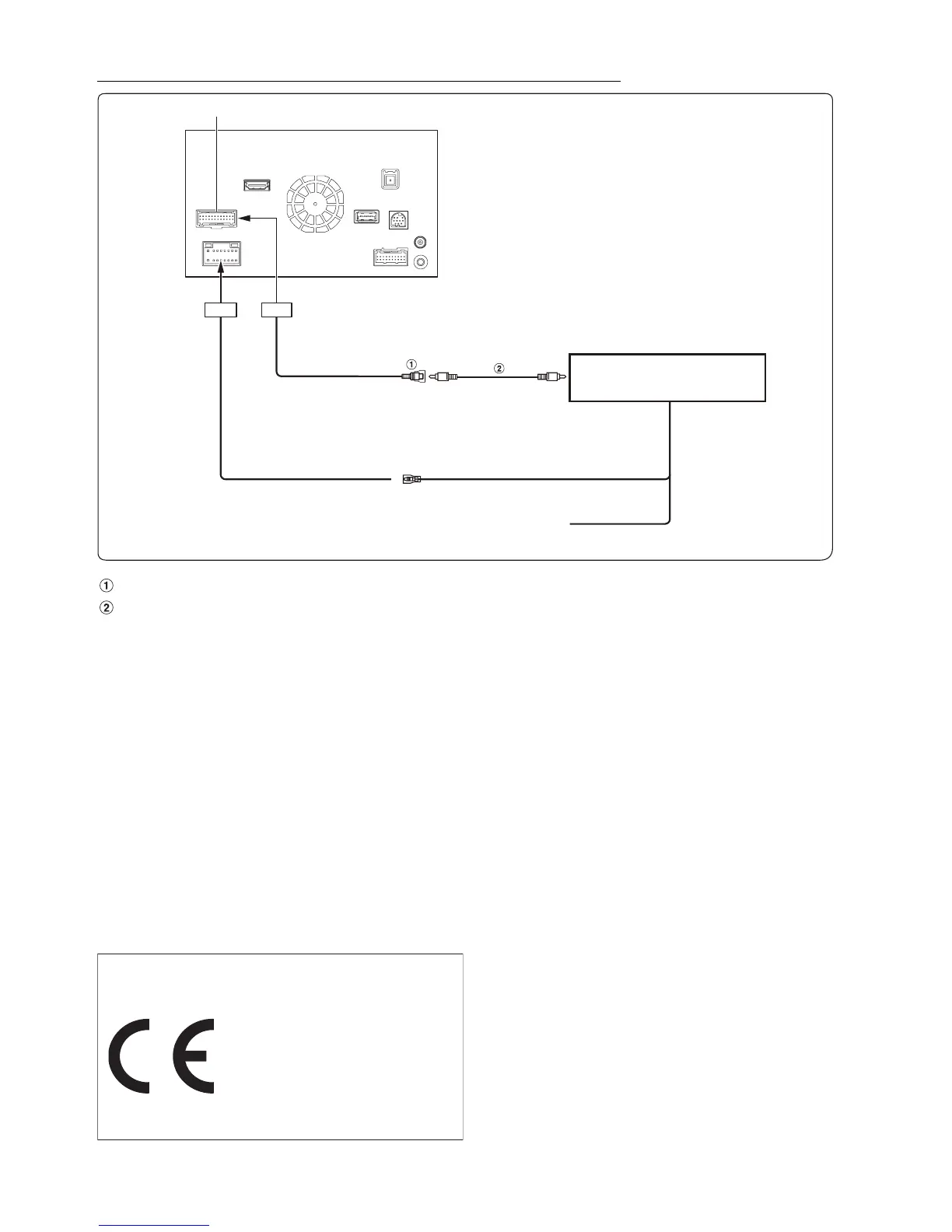
Connection of cameras (HCE-C212F + HCE-C210RD or HCE-C200F + HCE-C200R)
CAMERA Input RCA Connector
RCA Extension Cable (sold separately)
• When the screen switches from the front view camera image to the Navigation screen, the location of your vehicle may not be displayed correctly.
• It’s better to connect the AUX Camera’s power cable to ACC. Otherwise the (AUX) camera’s image will not be displayed by touching (AUX)
camera button on My Favorite screen. (Page 69)
CAMERA/W.REMOTE Connector
REVERSE
To plus side of the back
lamp signal lead of the car.
CAMERA 2
Control Unit
To Video Output Terminal
(Orange/White)
Camera Control Lead
(Orange/Black)
About the Rules of Bluetooth Electromagnetic
Radiation Regulation
Declaration of Conformity


 To Next Page