- 32 -
keyboard. Also, to delete characters, the BACK SPACE button on the keyboard
does not work as expected, instead, use the DELETE key to the right of the
ENTER key. As a character is deleted, BASIC echoes a “\” followed by the
character(s) deleted for each subsequent delete press.
In response the “Reconfigure (Y, N, L)?” prompt, type “L” for “List” and
press return. This displays the current interrupt assignments. You’ll notice
the disk is at level 0 (highest priority) and the 60hz real-time clock inter-
rupt is at level 1 (the next highest priority). Interrupt levels 2 through 5
each have two serial port devices assigned to them. For example, the values
16 and 18 at level 2 are the I/O address of the two terminals assigned to in-
terrupt level 2. These are the same I/O addresses of the two serial ports
used in the Altair Clone.
The “Reconfigure (Y, N, L)?” prompt is displayed again. This time, type “N”
and press return to continue with initialization.
1) In response to the “MEMORY SIZE” prompt, press RETURN to let BASIC de-
termine the amount of RAM present.
2) In response to the “NUMBER OF USERS” prompt, type 2 and press RETURN.
3) In response to “TERMINAL ADDRESS” type in “16” and press RETURN.
4) In response to “REGION SIZE” TYPE in “18K” and press RETURN.
5) In response to “TERMINAL ADDRESS” type in “18” and press RETURN.
6) In response to “REGION SIZE” TYPE in “18K” and press RETURN.
7) In response to the “MOUNT PASSWORD” prompt, key in “PASSWORD” and press
RETURN. The password can be any string up to eight characters in length
and is required to mount or dismount a disk.
At this point, Timesharing BASIC displays version information once again, but
this time, on both user terminals. You can type an immediate command like
“PRINT 2+2” and press RETURN on either terminal window and BASIC will display
the answer.
Loading a BASIC Program from Disk
Before a floppy disk can be used with BASIC, it must be mounted. Type “MOUNT
0” on either terminal to tell BASIC to mount the floppy that is in drive ze-
ro. BASIC will ask for the “MOUNT PASSWORD.” Respond with the password pro-
vided in step 7, above. After the command completes (it may take ten or more
seconds to complete), type “FILES” to list the files present on the disk.
You can load a program with the “LOAD” command, or load and run a program
with the “RUN” command. The file name specified for either command must be
contained in quotes and is case-sensitive. For example, to load the StarTrek
game, type the following:
LOAD “STARTREK”
and press RETURN. After the program loads, you can type “LIST” to look at the
program or “RUN” to execute the program. Go ahead and repeat the load process
on the second terminal while the first terminal continues to list or run the
program. Now you’ve got two users independently using BASIC at the same time
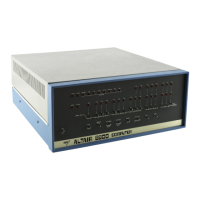
on an Altair 8800!
Loading a BASIC Program through the Terminal Serial Port
You can also load a BASIC program through a terminal port in the same manner
as done in the 4K BASIC and 8K BASIC demonstrations. This allows you to load


 To Next Page