3
Total Continuous Power: 1.5 Watts RMS
• Front Speakers: 750 mWatts/channel @ 7.7 ohms
@ 100 – 20,000 Hz (-3 dB)
2 Channels Loaded
Frequency Response: 100 Hz – 20 kHz (-3 dB)
Signal to Noise Ratio
@ 1 kHz input: > 65 dB
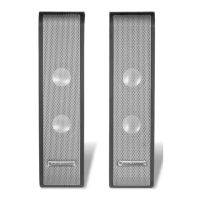
Drivers (per satellite): Two 28 mm full-range micro drivers
System Specifications*
Altec Lansing’s superior sound comes from our proprietary technology, which utilizes custom-built, high-fidelity drivers, state-of-the-art equalization circuitry,
and a harmonious mix of the following specifications:
No LEDs are lit.
No sound
from one or
both speakers.
Power isn’t turned on.
Speaker system is not connected to a laptop computer
or PC via the USB port.
Laptop computer or PC is in sleep mode.
Speaker stand cable is not connected to one or
both speakers.
Volume is set too low.
3.5 mm stereo cable isn’t connected to audio source (if
speaker system is connected to its audio source via the
auxiliary input).
3.5 mm stereo cable is connected to wrong output on
audio source (if speaker system is connected to its
audio source via the auxiliary input).
Problem with audio source device.
Turn on the speaker system by pushing the power button on the right satellite.
An LED will light on the front of the right satellite when the power is ON.
Connect the speaker system to a laptop computer or PC via the USB port.
Some laptop computers and PCs can be configured to go into sleep mode after
being left unused for a period of time. Make sure the computer is active.
Check to see if the stand cable is properly connected to both speakers.
Push the “+” button to increase the volume.
Check volume level on the computer operating system or other audio source,
and set at mid-level.
Check plug connections on the audio source. Make sure the signal cables are
inserted firmly into the correct jacks.
Make sure the 3.5 mm stereo cable is connected and fully inserted into the
“line-out,” “audio-out,” or the headphone jack of the audio source.
Test the speakers on another audio device. Remove the 3. 5mm stereo cable
from the audio source device and connect it to “line-out,” “audio-out,” or the
headphone jack of another audio source.
Troubleshooting
Symptom Possible Problem Solution
Powering On
1. Turn on the audio source.
2. Turn on the speaker system by pushing the power button on the
right satellite. An LED will light on the front of the right satellite when
the power is ON.
Note: To avoid hearing a popping sound when you turn on your Altec
Lansing speaker system, always turn on your audio source first.
Volume
The “+” and “–” volume buttons on the right satellite speaker control the
master volume. Push the “+” button to increase the volume and push the
“–” button to decrease the volume.
Note: The XT1 volume output can also be controlled using the Windows or
Mac operating system, if so desired. While the XT1 has been tuned for
optimal performance, bass and treble output can also be controlled using
the Windows or Mac operating system.
*Power rating conforms to FTC Amplifier Rule #16 C.F.R. Part 432.


 To Next Page
 Loading...