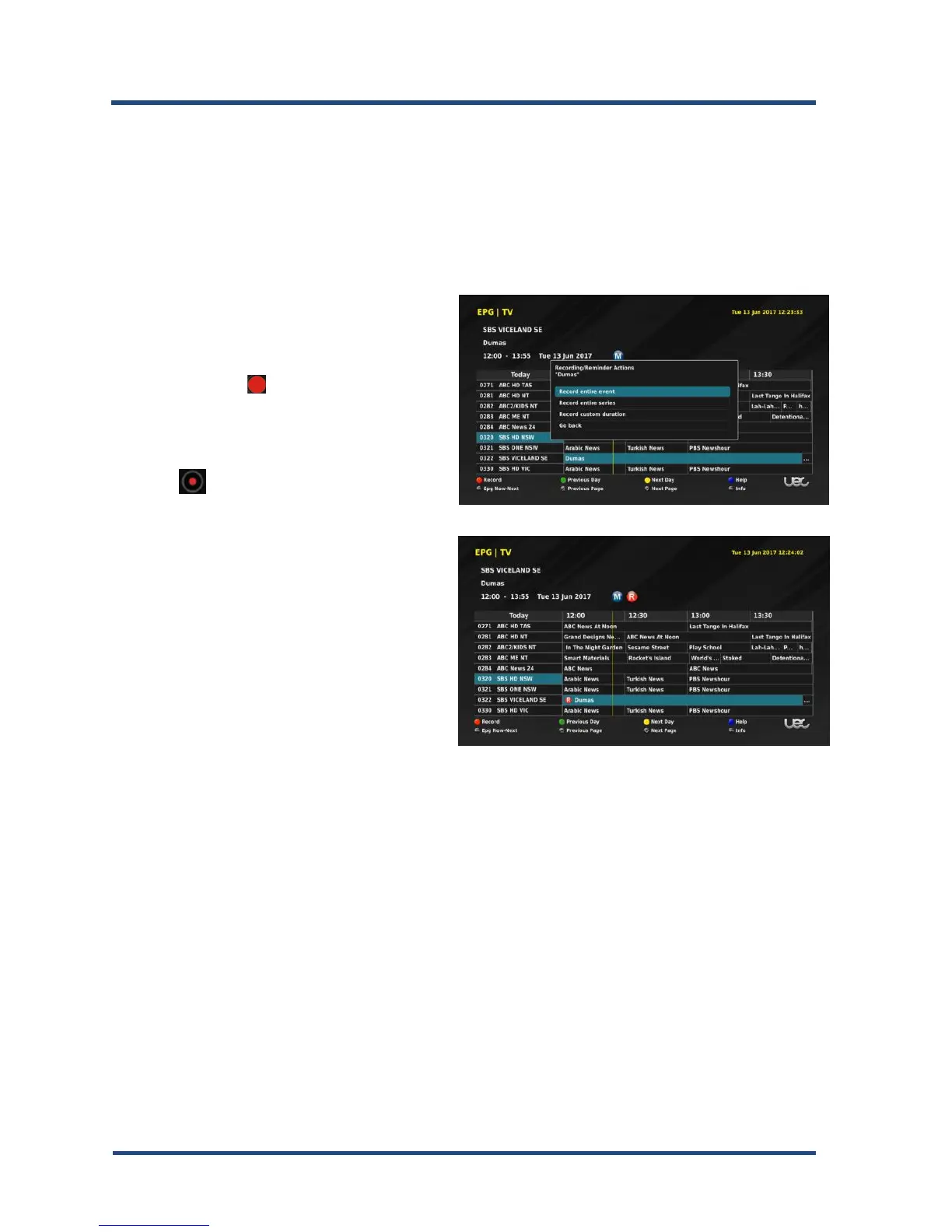
Recording from the EPG
A Recording/Reminder opens a banner displaying three timer options.
Record entire event
The first option is to record the show according to broadcaster time schedule,
with a few minutes of overlap on each end of the time slot.
1. To select your program, use the
“▲▼” or “◄►” keys to highlight
the desired program.
2. Press the” ” Record to set the
timer.
3. To select Record Entire Event,
press “OK”.
4. A “ ” icon is placed next the
programme you want to record.
Record custom duration
The Record custom duration allows you to set your own time duration. The
duration is set in minutes; the allocation for this function is a maximum of 2
days.
If timer settings for the program overlap, an error message is displayed. You
have to either change or delete one or the other timer settings, or look at re-
setting it later.


 To Next Page