Need help?
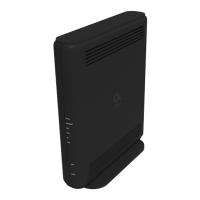
Do you have a question about the Altice UBC1326AA00 and is the answer not in the manual?
Install the cable modem to include grounding the coaxial cable to the earth as close as practical to the building entrance.
If the cable modem becomes damaged, disconnect the power plug from the AC wall outlet immediately.
Install the device in a location not to exceed the maximum temperature of 104°F (40°C).
Connect the coaxial cable to the DS/US connector on the modem and the cable wall outlet.
Connect an Ethernet cable to a LAN port on the modem and to a computer's Ethernet port.
Connect an RJ-11 phone cable to the TEL port on the modem and to the telephone.
Connect the power adapter to the PWR port on the modem and to a power outlet.
For operation within specific 5GHz frequency ranges, this device is restricted to indoor environments.
Changes or modifications not approved by the party responsible for compliance could void the user's authority to operate.
Equipment complies with FCC radiation exposure limits for an uncontrolled environment.

 To Next Page
 General