6 IP 705 Manual
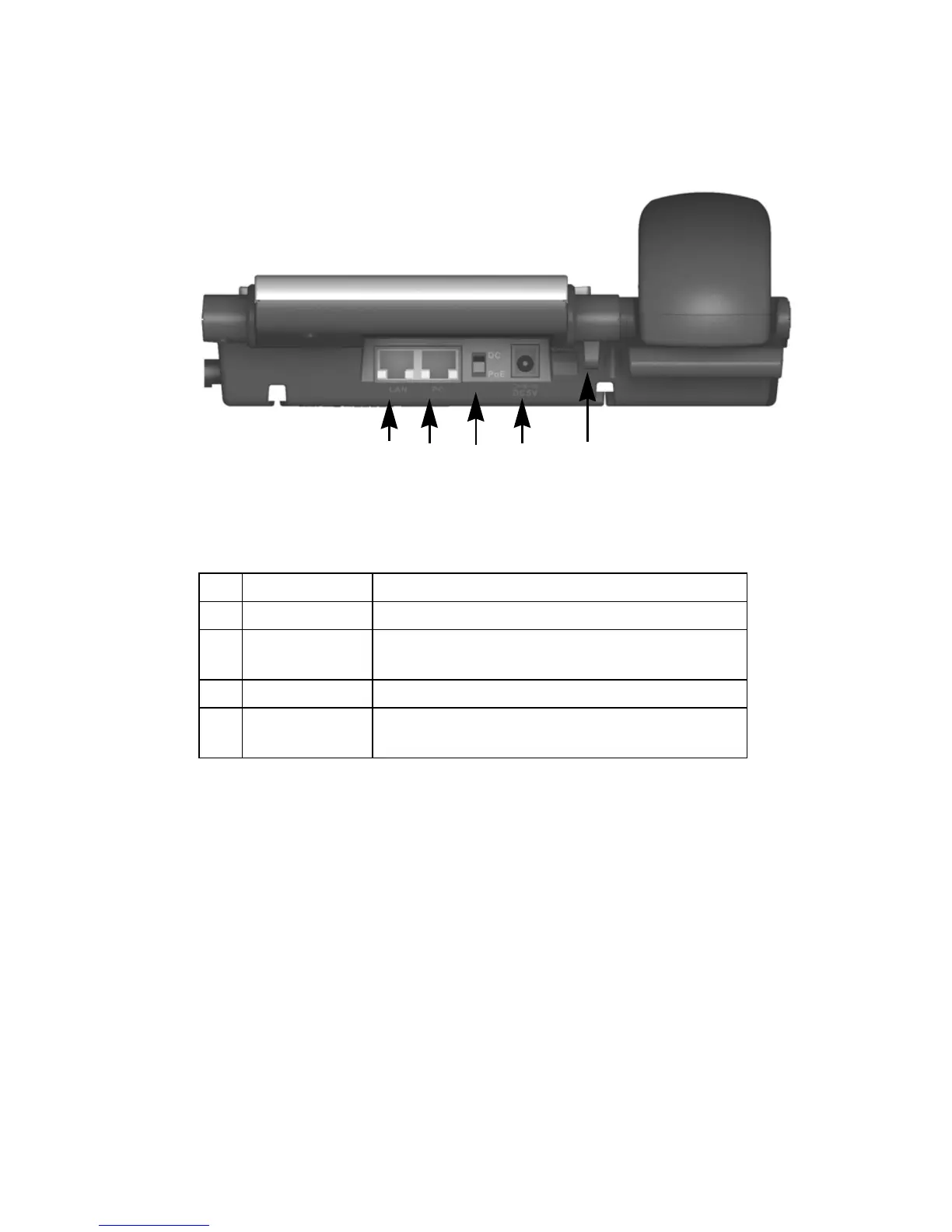
Figure 2. IP 705 Phone, Back View
1 LAN Port Connects to network (10/100 Base T)
2 PC Access Port Connects to a PC (10/100 Base T)
3 DC/PoE Switch Switches between DC power and power over
Ethernet
4 DC Port Connects to power outlet
5 Power Cable
Restraint
Secures the power cable, preventing it from
accidentally being pulled out
5
12 34



 To Next Page