2
How to Use Your
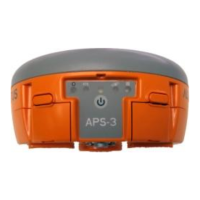
APS-3 Power Switch ON/OFF & LED Information (FRONT)
ON: Established Communication
OFF: Idle for device bonding
ON (Solid): Transmitting RTK corrections
ON (Flashing): Receiving RTK corrections
OFF: No RTK Corrections
Rapid Flash: Boot Up
Interval Flashing: Tracking Satellites
ON: Active Data Logging
OFF: Inactive Data Logging
Press two times < 1 sec. apart, and Data Logging LED turns
ON/OFF
Press three times < 1 sec. apart
Press four times < 1 sec. apart
Press ON/OFF button to turn
ON APS-3. Hold ON/OFF switch
for 4 seconds to turn OFF APS-3.
Install UHF Radio Antenna, formatted SD Card and
activated SIM card before turning ON APS-3.


 To Next Page
