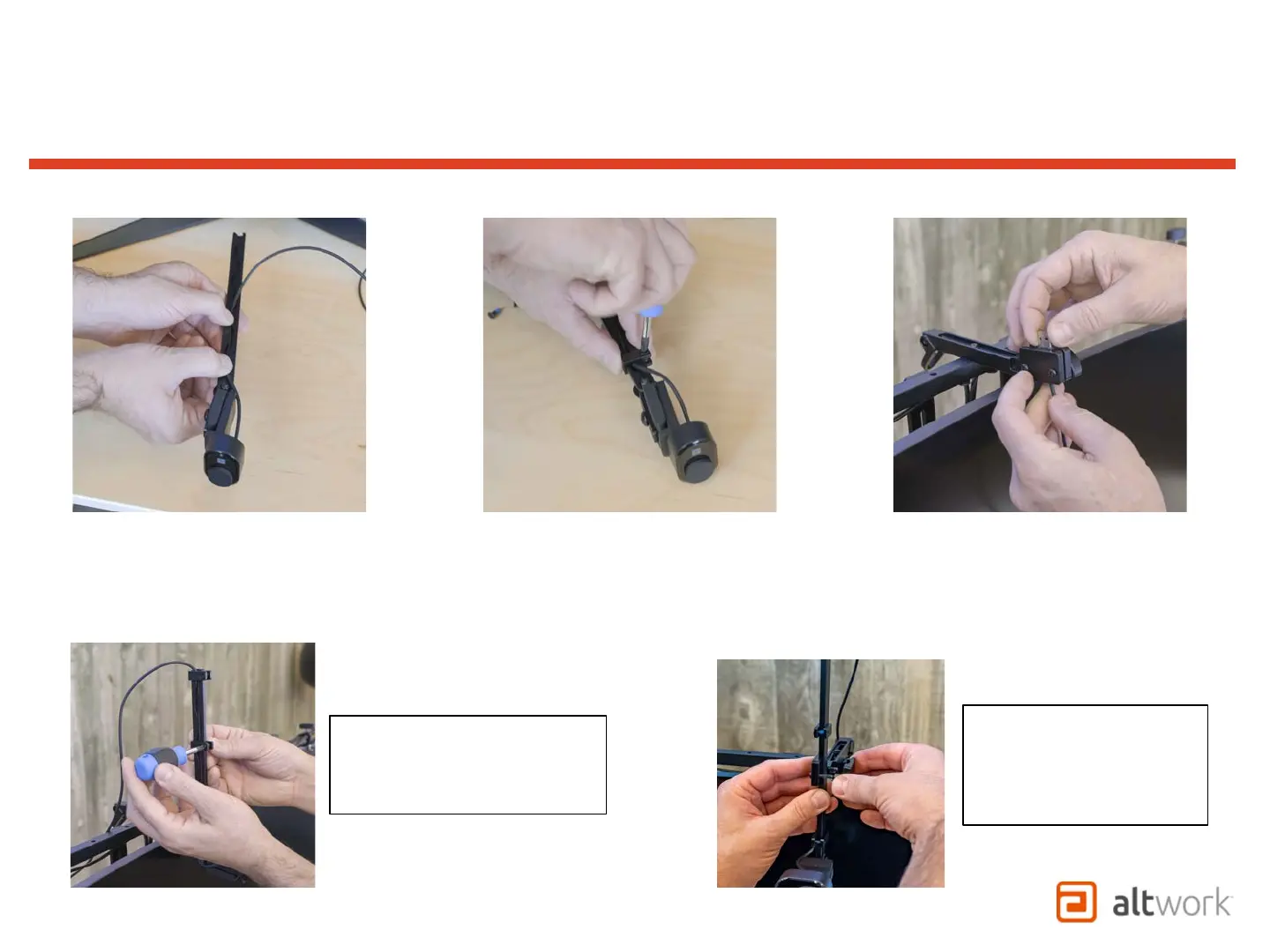
Note: Third Wire Stop can be
used at an optional point as a
preset Stop for the camera
position in front of the screen.
1. Start with the camera facing down
2. Make sure that the wire is not pulling the back of the camera, press the wire into the groove of the Camera Bar from bottom to top.
3. Attach the Wire Stops at the bottom and top of the Camera Bar as shown
4. Thread cable through the Pivot Guide at the rear of the assembly
TruVue - VCS
Camera Wire Management
Note: Thumb nuts and
plastic block may need to
be removed for larger
connectors to be installed
through the block.


 To Next Page