EasyManua.ls Logo

Alula RE110P - User Manual

Alula RE110P
4 pages
Print Icon
To Next Page IconTo Next Page
Loading...
Ceiling
Floor
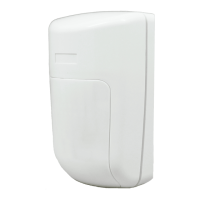
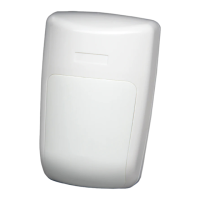
The Indoor Motion Sensor alarms when motion is sensed
or when the external contact is opened. It is battery
powered and requires no installation tools. A Pyroex
sensor with HighBar
signal processing allows for industry-
leading pet immunity and catch performance.
Features
Industry-leading pet immunity and catch performance
Supports both motion zone and an external contact zone
Mountable on walls or in corners
5 year warranty
Enroll by placing the panel into learn mode and then tripping
the tamper switch. Enroll the external contact zone by
inserting the battery with the external contact closed.
Install using the included 3M™ VHB™ tape to adhere the
motion sensor on a wall or in a corner. The tape should
be applied to the back when wall mounting or to the
back bevels when corner mounting. Alternatively, screw
mounting can be done by punching out the screw mounting
holes.
Installation Tips
Mount 7.5 to 9.5 feet from the oor for an
optimal balance between catch performance
and pet immunity.
Remove the cover and circuit board before
trying to punch out the screw mounting holes.
Ensure the bug foam stays intact and
snug around the IR sensing element when
re-installing the circuit board.
External Contact
Use a normally-closed contact because the
motion sensor will transmit an alarm when it
sees the external contact open.
Do not use end-of-line resistors.
Suggested Group Types
Use Interior Follower for the motion zone
Use Perimeter for the external contact zone
Mounting Screw Holes
Verify proper enrollment and operation using your control panel’s installation manual.
I
N
S
T
A
L
L
G
U
I
D
E
I
Resolution Compatibles
RE110P Indoor Motion Sensor
-Pet Immune Interlogix
®
Compatible
Question and Answer IconNeed help?

Do you have a question about the Alula RE110P and is the answer not in the manual?

Summary

The Indoor Motion Sensor

Features Overview

Key attributes: pet immunity, dual-zone support, mounting options, and 5-year warranty.

Enrollment Procedure

Steps to enroll the sensor via tamper switch and external contact.

Installation Guide

Instructions for mounting using VHB tape or screws on walls or corners.

Installation Tips

Advice on mounting height, screw hole preparation, and ensuring foam integrity.

External Contact Configuration

Guidance on using normally-closed contacts and avoiding EOL resistors.

Advanced Operation and Tuning

Walk Test Mode Operation

How to use walk test mode, including LED indication and re-calibration.

Mounting Tape Best Practices

Proper surface preparation and application for 3M VHB tape.

Motion Detection Settings

Adjusting sensitivity via jumper and optimizing for pet immunity.

Detection Performance Tips

Ensuring clear line-of-sight and avoiding environmental interference.

Product Specifications

Accessories for Mounting

Details on optional gimbal mounts and horizontal beam lenses.

Detection Field Diagrams

Visual representations of side and top fields of view at different heights.

Detailed Specifications and Compliance

Physical and Environmental Specs

Dimensions, weight, operating temperature, and humidity limits.

Sensor Performance Metrics

Frequency, pet immunity rating, battery life, voltage, and current draw.

Regulatory Compliance

FCC and IC certification information and notices.

Trademarks and Warranty

Information on Alula, Interlogix, 3M, Panasonic, and product warranty.

Alula RE110P Specifications

General IconGeneral
CommunicationWireless
Operating Humidity5% to 95% non-condensing
Tamper ProtectionYes
Supervisory Interval60 minutes
Wireless Frequency319.5 MHz
Power Source3V Lithium Battery
Operating Temperature32° to 120°F (0° to 49°C)
Magnet Dimensions0.75" D x 0.75" L
MountingAdhesive or Screws
TypeDoor/Window Sensor

Related product manuals