PANEL ENROLLMENT (continued)
DSC ®
A Translator enrollment:
a) Enter Wireless Enrollment mode.
b) Trip the translator cover tamper to enroll the translator.
c) Zone Type: 03 (instant)
• For the rst 24 hours after power-up, all translator
tamper trips will send a temporary “open” for
enrollment purposes.
B Sensor enrollment:
a) Enter Wireless Enrollment Mode.
b) Trip each sensor to initiate enrollment.
c) Set up the sensor for the desired behavior.
• Note, when translating to DSC, incoming sensors may
use only one input. For example, reed or external
contact, but not both.
Qolsys ®
• Qolsys IQ panel uses Interlogix 319.5MHz protocol.
• DSC Touch panel made by Qolsys uses DSC 433.92MHz
protocol.
FINISH
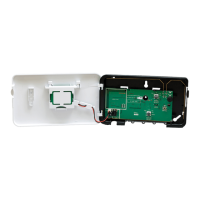
A With the translator cover open, perform a panel sensor test.
• When the translator cover is open the translator will only
send sensor transmissions to the panel if the received sen-
sor transmissions have enough signal margin to be reliably
received by the translator.
• Closing the translator cover exits translator sensor test
mode. When the translator is not in sensor test mode all
received sensor transmissions are sent to the panel.
• Translator sensor test mode is locked out 24 hours after
power up. To re-enable sensor test mode, the translator
must be power cycled by removing both 12VDC input
power and backup battery for at least 5 seconds.
B Close the cover. Test and verify proper operation at the
panel. Ensure all sensor alarms are reported properly to the
central station.
C Translator Locking: Locking the translator locks all
translator conguration settings and provides takeover pro-
tection.
a) Ensure all sensors are functioning as desired.
b) Carefully review the effects of manual translator locking
before proceeding:
• Translator can not be factory defaulted.
• Existing sensor congurations can not be changed.
However, new sensors may be congured.
• Panel selection can not be changed.
• Sensor selection can not be changed.
• Manual translator LOCKING CAN NOT BE UNDONE.
c) Open the translator cover and cut the lock wire. The
green and red LED will ash, and the sounder will beep to
conrm.
• NOTE: If the lock wire is not cut, the translator will
automatically lock after 30 days of continuous operation.
The effects are the same as manual locking; however,
the automatic lock can be reset by power cycling the
translator while the cover is open.
D With the cover closed, insert the cover securing screw into the
screw hole near the cover latch.
Notes
SENSORS
• If the translator loses both 12VDC input power and battery back
up power, sensor conguration data is retained.
• Low battery, tamper, and supervisory signals are reported by the
translator on its ID.
• Low battery signals from the translator are suppressed in the rst
24 hours after power-up. However, a missing battery condition is
reported right away.
• The translator does not support multiple loops on Honeywell
sensors. Only one loop may be used, reed or external.
• When Sensor Select is set to 2GIG®, both Honeywell® and
2GIG® sensors will be translated or repeated.
• Honeywell® and Napco® Panic transmitters are not supported.
FAULT CONDITIONS
• 12VDC input overvoltage fault: Continually ashes and beeps on
the green LED and sounder.
• 12VDC input removed fault: Green LED turns off and the
sounder makes a long beep.
FACTORY DEFAULT
• To return the translator to a factory default condition, press and
hold the congure button. After a couple seconds, the sounder
will start beeping rapidly. Continue holding the button until the
sounder stops beeping.
• Factory default is not possible if the translator is locked.
3
4
4


 To Next Page
 Loading...