Setup
Step 2 Camera Setup
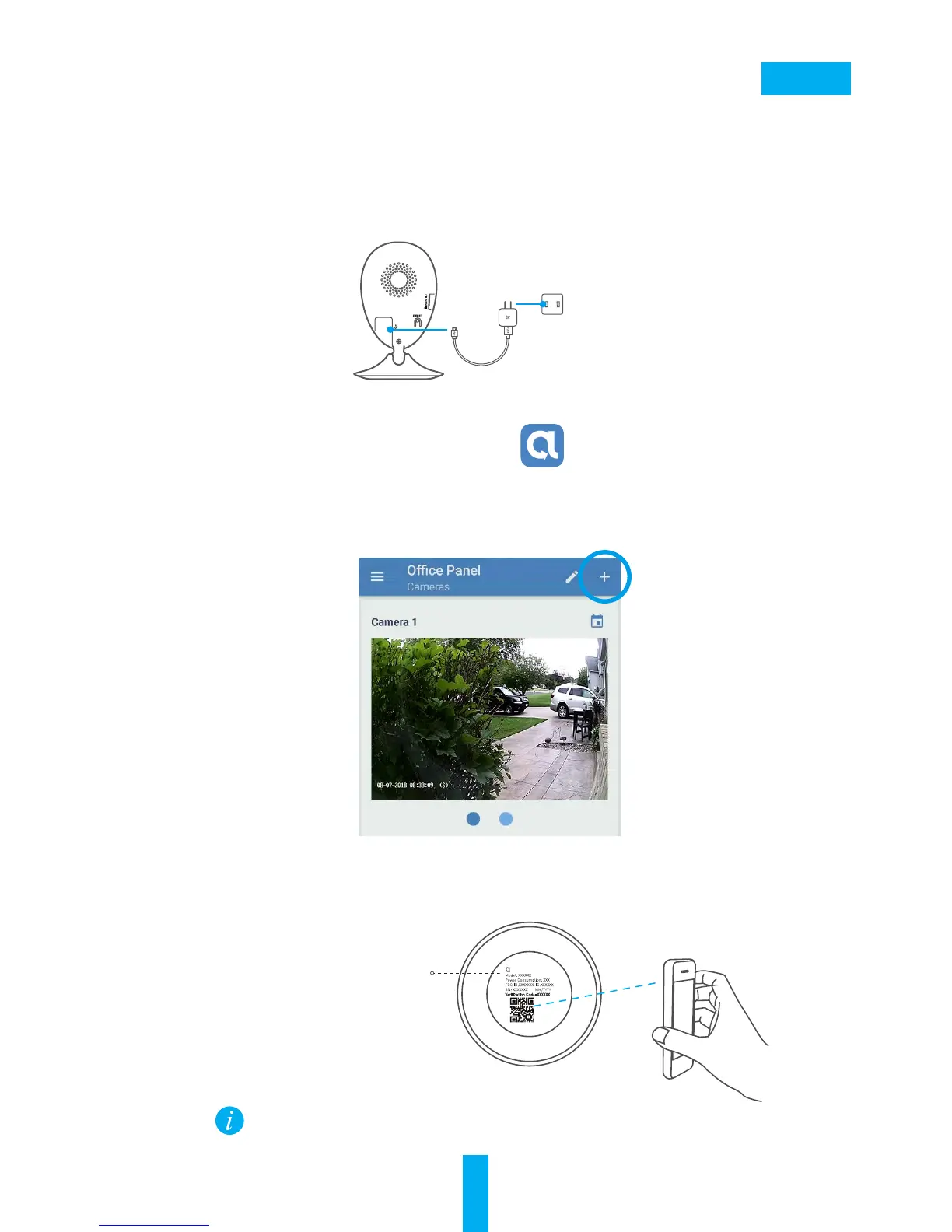
- Scan the QR Code on the bottom of the camera.
- Enter the verification code located on the bottom of the camera.
- Follow the app wizard to finish Wi-Fi configuration.
Bottom of the Camera
Alula
Step 1 Power-on
Plug the power cable into the camera and to the power adapter
and then into a power outlet, as shown in the figure below. The
LED indicator will flash red and blue when the camera is ready for
setup.
- Add a camera to the Alula app
• Log in to your account using the Alula app.
• From the Alula app Home screen, tap “+” on the upper-
right hand corner to go to the scan QR code interface.
If you want to change your camera's Wi-Fi, press and
hold the reset button for 5s and repeat this part.
Power Cable
Power Outlet


 To Next Page