2
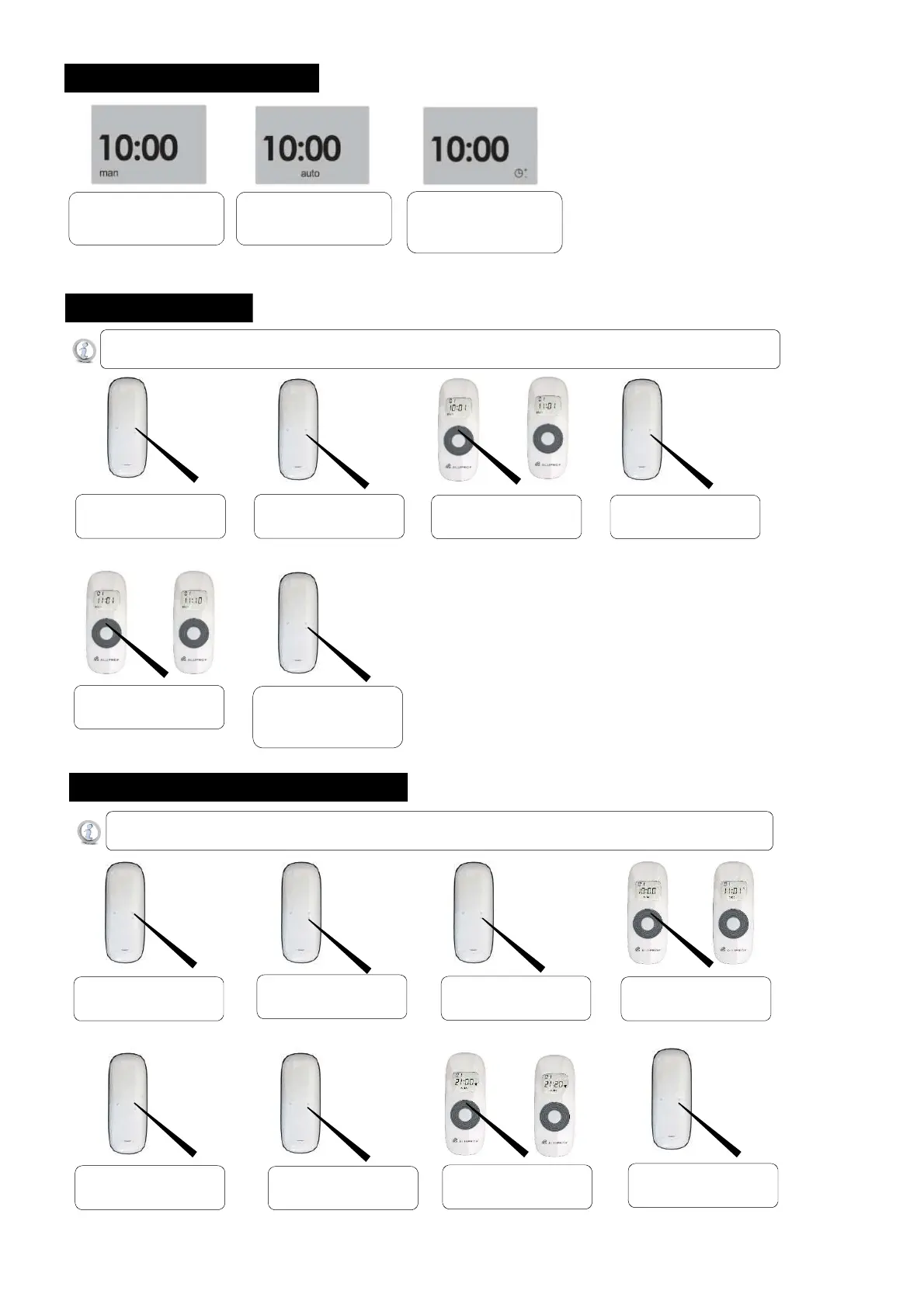
1. Selecting the operating mode
Press the „MODE” button will
switch the transmitter
to the ‘MAN’ mode.
Press another time the
„MODE”button for 2 second will
switch the transmitter to the
‘RANDOM’mode.
Press another time the „MODE”
button will switch
to the ‘AUTO’ mode.
Programming of the timer can be performed only in ‘MAN’ mode.
If there will be a bigger interval during the programming than 10 seconds the timer will go from the setting mode out.
2. Setting of the timer
Hold the MODE button will
switch the transmitter to the
Hold the TIME button for 5
seconds till the hour will blink
Press the „UP” or „DOWN”
button to set the hour.
Press the “TIME” button
to switch between hour
Press the „UP” or „DOWN”
button to set the minute.
Hold „TIME” buton dor 5
seconds until LCD will stop
blinking and you will see actual
time.
Programming of the timer for the automatic controls can be performed only in automatic or random mode.
If there will be a bigger interval during the programming than 10 seconds the timer will go from the setting mode out.
3. Settings hours for automatic controls
Pressing „MODE” buton will
switch the transmitter to the
Hold the „TIME” button
for 5 seconds till the rollup icon
Press the “TIME” button
to switch between hour
Press the „UP” or „DOWN”
button to set the hour and the
minutes of the rollup time.
Press the „MODE” buton to
switch for set up rolldown time.
Press the “TIME” button
to switch between hour
Press the „UP” or „DOWN”
button to set the hour and the
minutes of the rolldown time.
Hold the TIME button for 5
seconds save all settings.


 To Previous Page
 Loading...