11
Operating Instructions
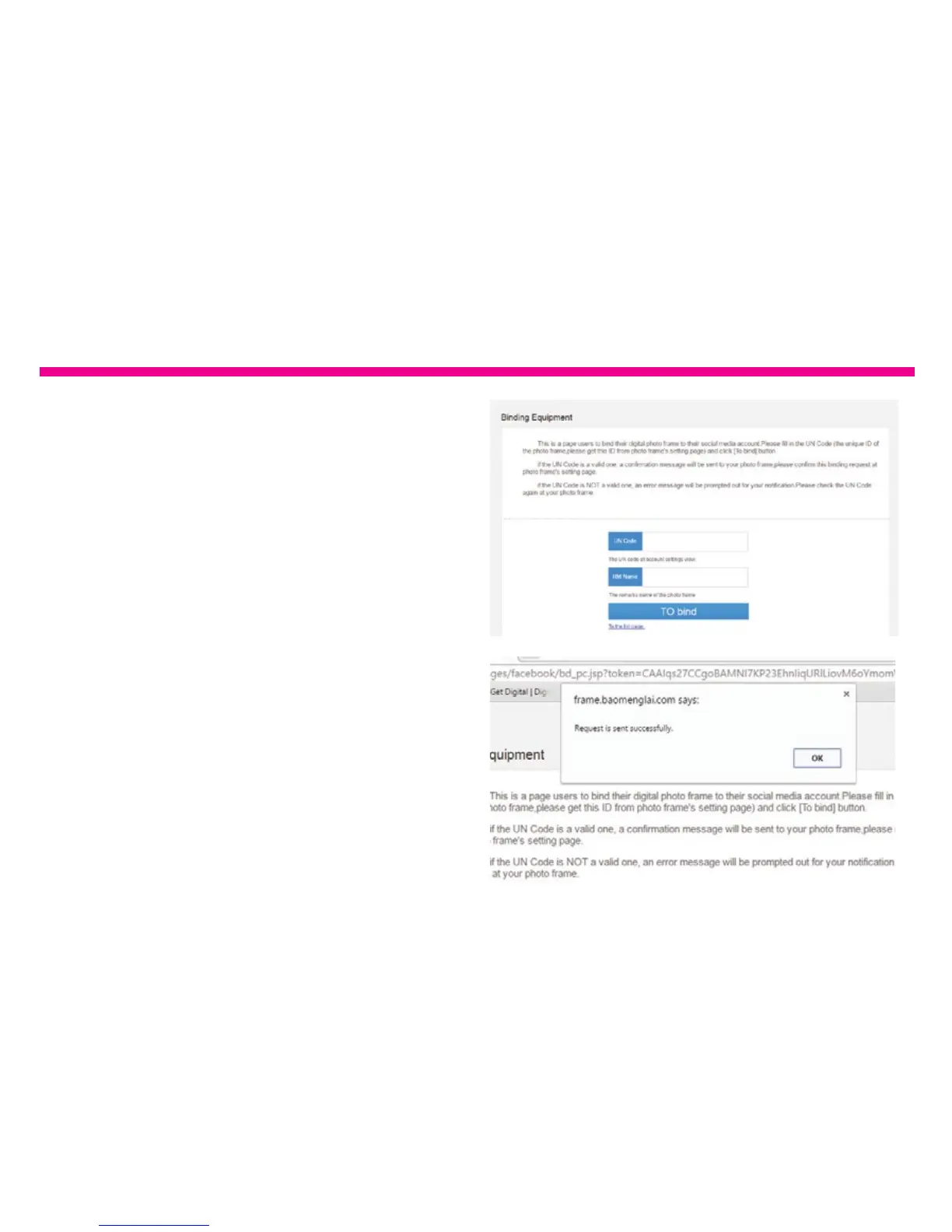
5. Go to Settings>Device Info from the
frame’s main menu.
For RM Name, create a nickname for your
frame to easily identify which frame is
which in case you have more than one wi
frame. After you have lled out both elds,
please click “TO Bind”.
6. You will see below message after
the request is sent.










 To Next Page