17
Operating Instructions
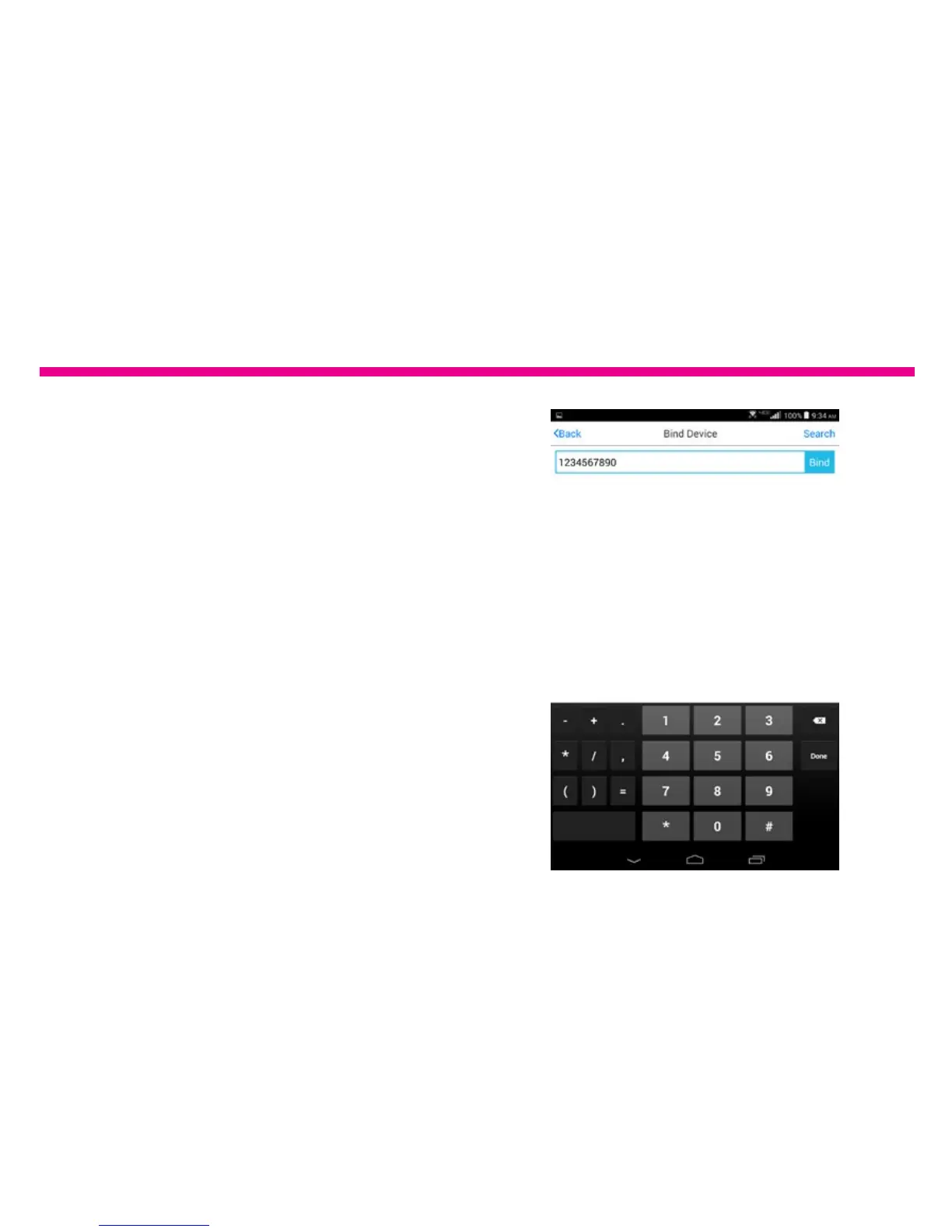
4. Please input the UN serial number.
You can nd the 10 digit UN serial
number under Settings>Device Info
in the main menu of the frame.
5. Tap on Bind. Once the process is
complete, you can verify it under when
you tap on “Device Manager” A popup
message will also be shown on the
frame.











 To Next Page