20
Operating Instructions
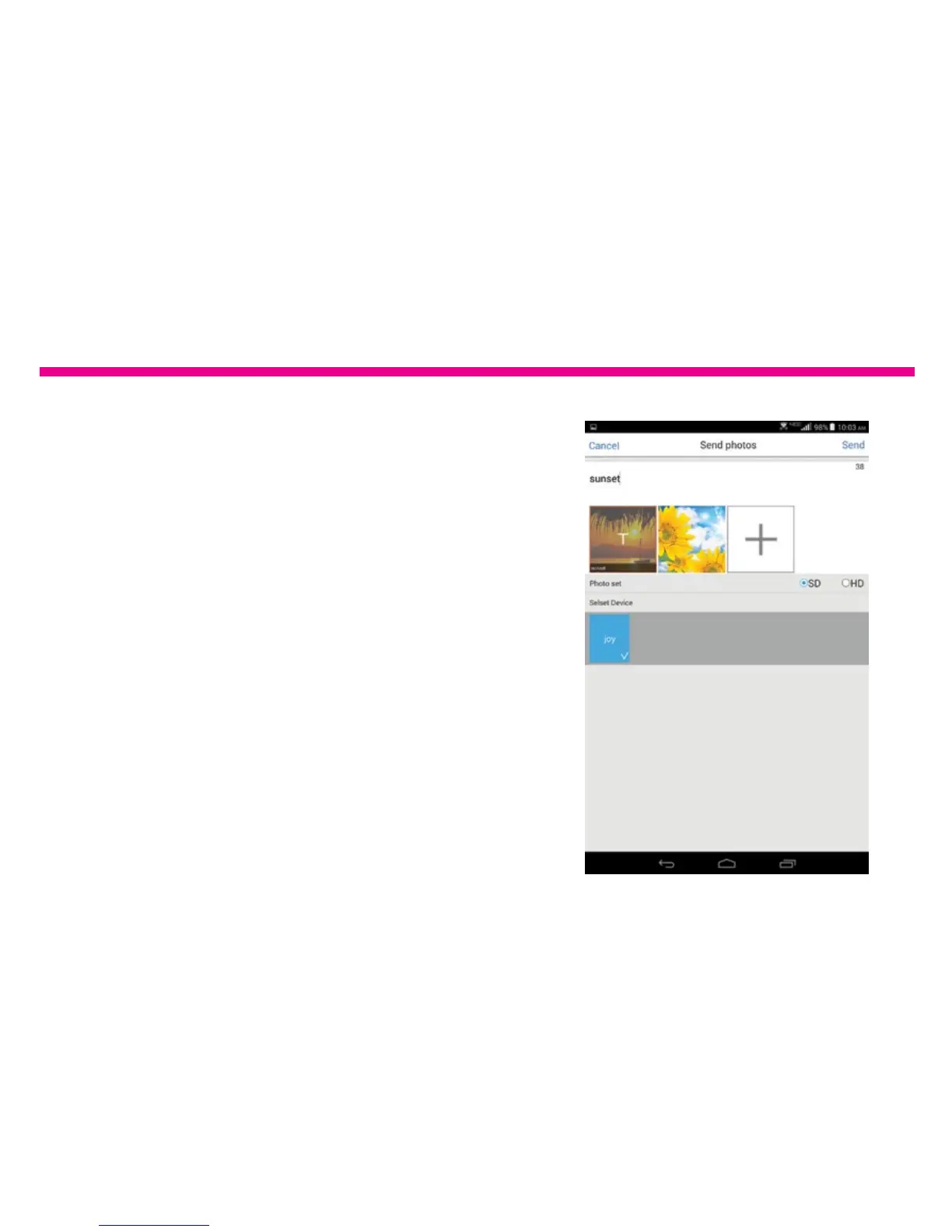
C. Tap on “Conrm” on the bottom of the
screen to conrm the picture selection.
D. Select the Photo quality of either SD or HD.
E. You can also add text to the picture by
tapping on the photo and type in the text.
F. Tap on “Send” to send the picture/pictures
to the frame. You will see a status bar on the
main menu to see the progress. You may also
check by tapping “Message”.






 To Next Page