22
Operating Instructions
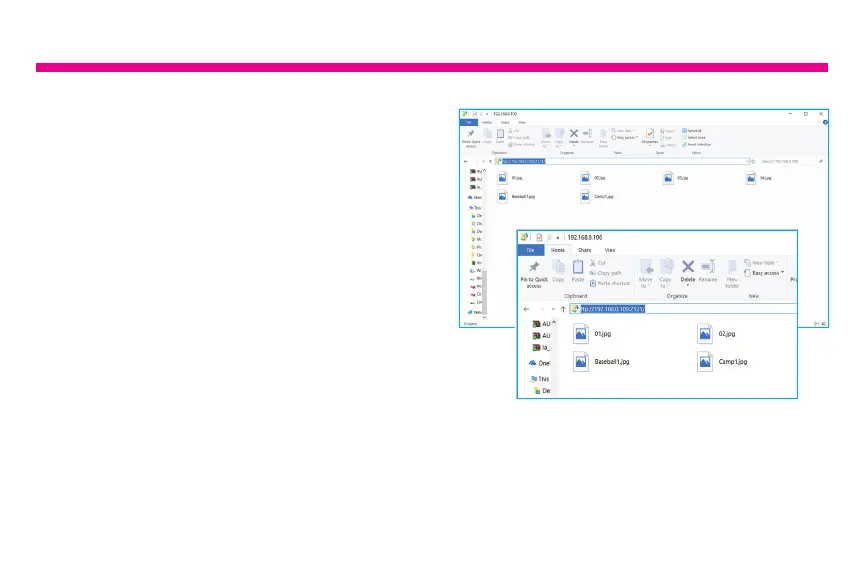
2. Go to your computer and open “File
Explorer”. In the File Explorer, type in the
exact address in the address bar. In this
example, it is ftp://192.168.0.100:2121
3. The internal memory of the frame will
show up like a folder on your computer.
Please just drag and drop pictures that
you like to transfer to this folder.
4. Once transferred, please go to
Album > Internal memory of the frame to
see the pictures.
Note: If the computer and the frame is not
on the same network, you can send / transfer
the pictures to the frame via Facebook /
Twitter or Photo Partner app.






 To Next Page