27
Operating Instructions
Transfer Pictures Directly From Your Computer To The Frame
To transfer pictures from your computer to the
WiFi frame directly, the frame and the computer
will need to be in the same network. Follow the
steps below to transfer the pictures.
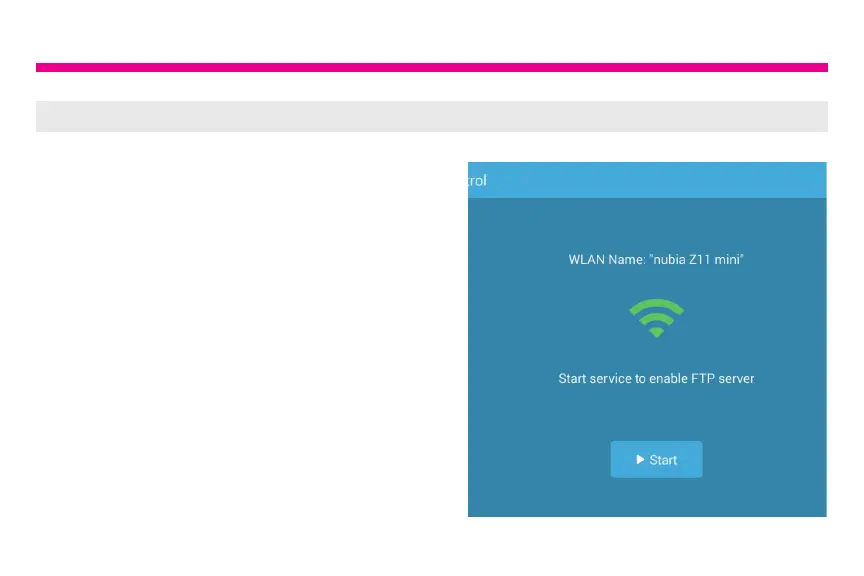
1. Go to Settings > PC Control on the
frame. Click “Start” to see the ftp address
of the frame on the screen.








 To Next Page