8 9
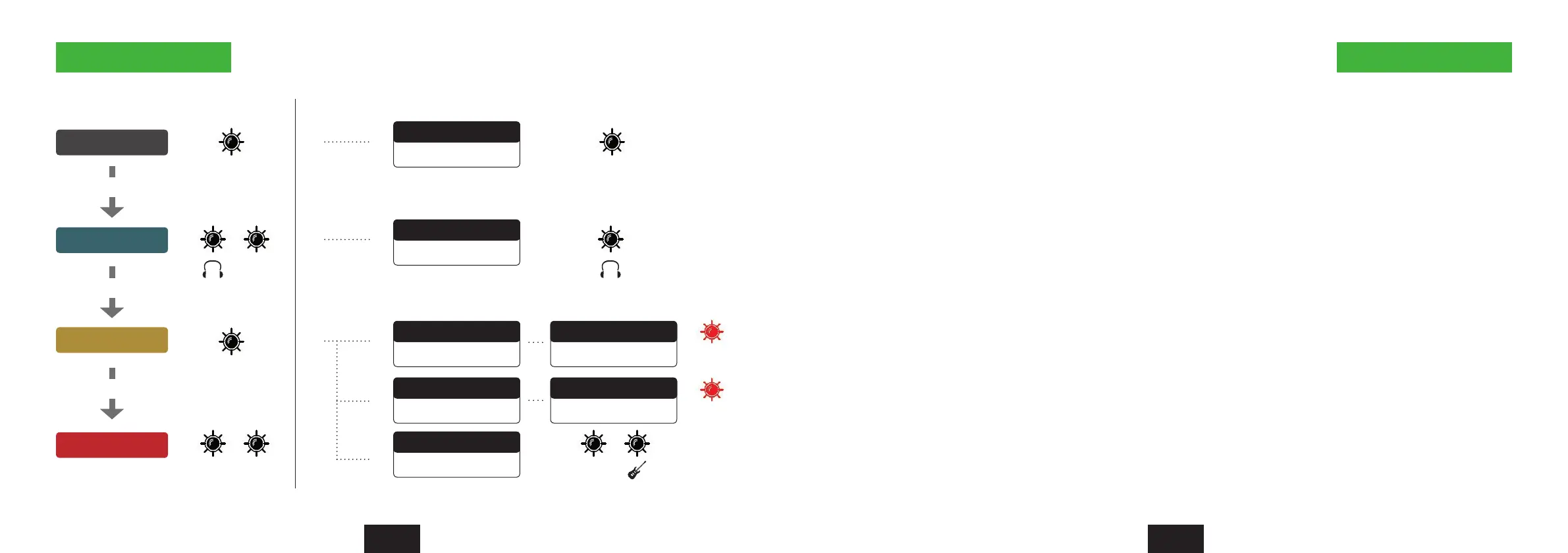
Encoder operations Reset the Nanoface
2 Quick info Quick info 2
Output 1/2
Output 3/4
Input 1/2
Input 3/4
Out Out
In
In In
3/4
3/4
Press Encoder
Press Encoder
Press Encoder
Mode LEDs on LEDs onAdditional operations
Double click
Click/hold + Turn left
Double Click
Monitoring On/Off
Out 1/2 to Phones
Click/hold + Turn left
Gain Channel 1
Press 3 sec.
48V Channel 1
Press 3 sec.
48V Channel 1
Click/hold + Turn right
Gain Channel 2
Hi-Z In for Channel 2
1st red LED
Channel 1
1st red LED
Channel 2
The last Nanoface settings are stored in the internal memory.
The Nanoface starts where you left it before a disconnection from the host computer or a restart.
To reset the Nanoface to the default parameters: Click + hold the encoder
during power up (USB re-connection or start of the host computer).
The following parameters will be set:
Output, Phones and input gain: -3.5 dB
Preamps/Hi-Z gain: 0 dB
Phantom Power (48V): off
Phones out to channel 3/4



 To Next Page