7
Registration & Help
Make sure to register personal account in APP before the first flight, in order to get
better use experience.
Steps of Registration
Please fill your E-mail, password, check the protocol and click “Register”. You can login
the system after registration.
(Note: Keep the mobile phone online during registration)
Help
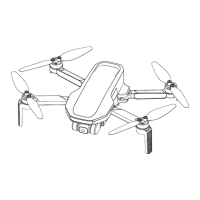
Thanks for purchasing Atom SE drone. Please read the Manual carefully.
Please contact our support team at support@potensic.com if anything needs help,
when requesting an after-sales service, it is required to submit order ID and details of
the issues.
Technical Terms
IMU (inertial measurement unit), the most important core
sensor of the drone.
TOF (time of flight), the period from transmission and
receiving of detection infrared signal, in order to
determine the target distance.
The sensor system, which lies at the bottom of the drone
and consists of camera and TOF module.
High-accuracy positioning, which is realized through lower
visual system.
Identify direction for geomagnetic sensor and the drone.
Atmospheric pressure sensor, which enables the drone to
determine the altitude through atmospheric pressure.
Switch the drone motor from static status to idle running.
Once unlocked, the motor will start revolving at a fixed
speed, but it has insufficient lifting force to take off.
The drone will return to HOME point automatically based
on GPS positioning.
Electronic Image Stabilization; the camera will detect the
data of high-frequency vibration and eliminate picture
flutter through algorithm.
Position of the drone camera.
Ascend or descend the drone.
Fly the drone to front or back.
Fly the drone to left or right.
Enable self-rotation of the drone to left or right.


 To Next Page
 Loading...