EasyManua.ls Logo

AM Telecom AMT5500 - User Manual

AM Telecom AMT5500
63 pages
Print Icon
To Next Page IconTo Next Page
Loading...
October 2021 Rev.1.3
User Manual
AMT5500

Questions and Answers

Summary

Safety and Handling

Safety Precautions

General safety guidelines for product usage and handling.

Symbol Description

Explains hazard symbols and instruction symbols used in the manual.

Product Handling Warnings

Critical warnings and guidelines for safe handling and operation of the device.

Cautions for Use

Cautions regarding storage, placement, and usage to prevent damage or malfunction.

Medical Equipment Proximity

Specific precautions when using the device near medical equipment.

Hardware Features

Product Layout and Overview

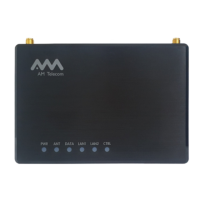
An overview of the router's physical aspects, layout, and components.

Interface and Controls

Details the various ports, keys, and switches on the router.

LED Indicators

Describes the status and meaning of each LED indicator on the router.

Getting Started

USIM Card Insertion

Step-by-step guide on how to properly insert the USIM card into the router.

Antenna Attachment

Guidance on installing and connecting internal and external antennas.

Power Adaptor Connection

Instructions on how to connect the power adapter plug for different country standards.

Router Placement

Provides tips and recommendations for optimal router placement for best performance.

Network Connection

Step-by-step guide to connect the router to the mobile network and your computer.

Web UI Login

Instructions on how to access and log into the router's web-based user interface.

Status Monitoring

Network Status

Displays detailed information about the current network connection status.

WAN Information

Shows IP-based information received from the Wide Area Network (WAN).

LAN Information

Displays LAN information and details of connected clients to the Local Area Network (LAN).

Device Information

Provides current time and essential product information about the wireless router.

System Performance

Displays performance metrics like CPU usage, memory, and data rates.

Configuration

Network Settings

Allows configuration of basic network settings like Network Mode and PIN.

PIN Management

Manages USIM card PIN security settings, including enabling, disabling, and changing the PIN.

Profile Management

Manages network profiles, including adding new ones and setting a default profile.

WAN Settings (NTP, OpenVPN)

Configures WAN settings like NTP synchronization and OpenVPN client.

Port Forwarding

Configures port forwarding to direct internet traffic to specific devices on the local network.

LAN Settings

Manages LAN settings, including IP address assignments and MAC filtering.

MAC Address Filter

Controls network access by filtering devices based on their MAC addresses.

Ping Diagnosis

Performs ping tests to diagnose network connectivity issues.

Remote Access

Configures settings to allow remote access to the router for management.

User Management

Manages user accounts, time zones, and periodic reboots.

Periodic Reboot

Configures the router to automatically reboot at scheduled intervals.

Rebooting

Initiates an immediate reboot of the router.

Firmware Management

Guides users on upgrading, initializing, backing up, and restoring router firmware and configurations.

Initialize Configuration

Resets all router settings to their factory default values.

System Log

Provides access to view and save system logs detailing router activities.

Specifications and Support

Product Specifications

Lists the detailed technical specifications of the AMT5500 router.

Troubleshooting

Offers solutions for common problems, focusing on LED indicators and basic recovery steps.

Compliance and Disposal

Contains regulatory compliance information, EU declaration, and disposal guidelines.

Abbreviations

Provides a glossary of technical abbreviations used throughout the manual.

AM Telecom AMT5500 Specifications

General IconGeneral
BrandAM Telecom
ModelAMT5500
CategoryModem
LanguageEnglish