CHAPTER 1: SYSTEM DESCRIPTION
IS-300CA INVERTER POWER SUPPLY
990-418 1-7
If this
ENTER
key is not pressed, the Power Supply connected to the MA-660A will not recognize the set
data.
The Power Supply writes data into FLASH ROM on the control board when a setting is changed or
schedule data is copied. The
READY
lamp on the front panel and the external
READY
signal are turned
off during writing process. Check that the
READY
lamp is turned on before starting to weld.
It takes about 3 seconds (max) to change a setting, about 125 seconds to copy a schedule and about 5
seconds (max) to initialize schedules in FLASH ROM. During this time, do not turn off the power.
MENU Key
Used to display the
MENU
screen. Press this key to return to
MENU
screen from any other screens.
CAUTION
No settings or changes may be made to any item from the receipt of the start
signal through the end of the welding sequence and turning off the start signal.
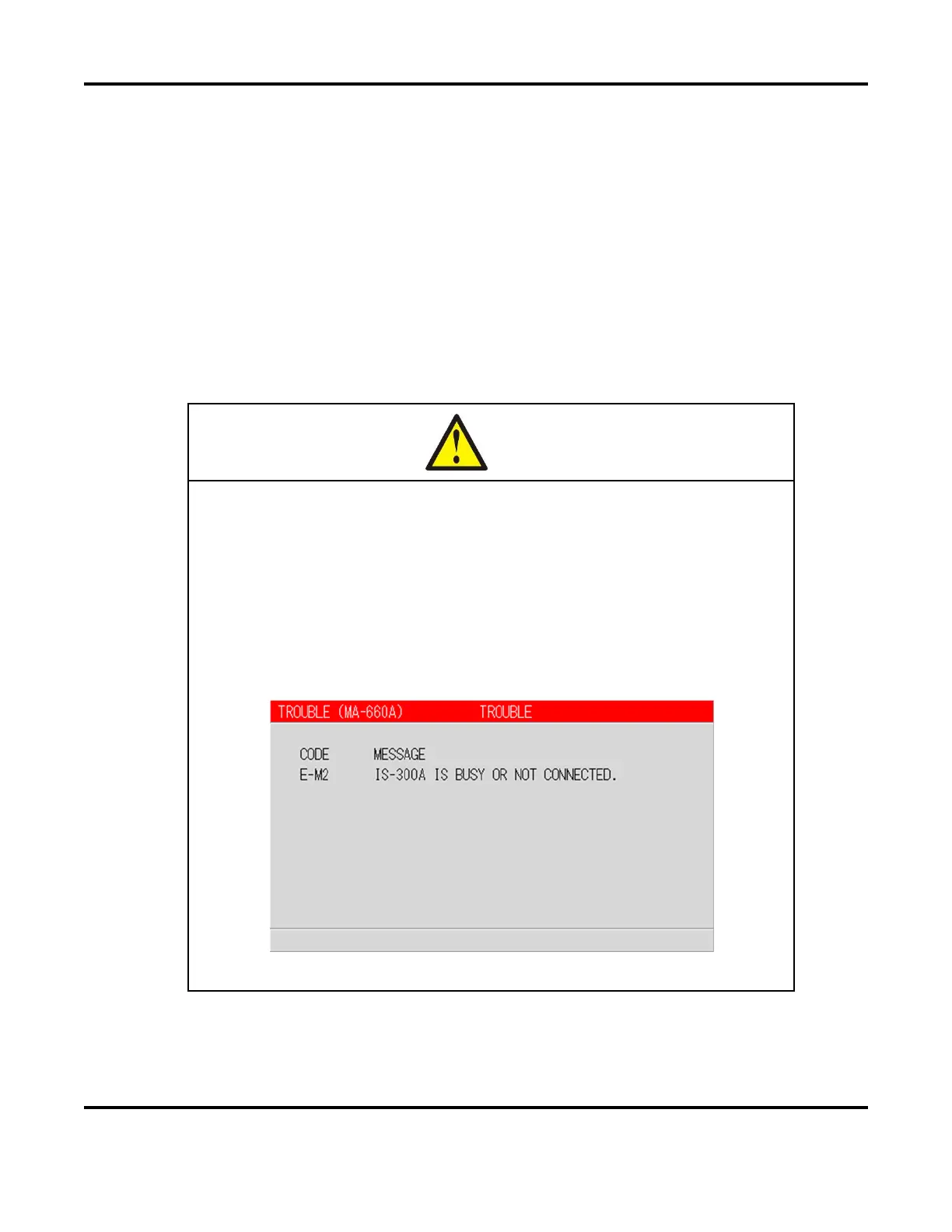
If setting is performed during the welding sequence, the following screen
appears. Press the
TROUBLE RESET
key.
Also, when changing a screen to call up another setting schedule during the
welding sequence, the
TROUBLE RESET
key does not work even if the
following screen appears. In this case, you need to turn on the power again.
(When connecting to the Power Supply,
IS-300CA Advanced
)


 To Next Page
 Loading...