CHAPTER 3: USING PROGRAMMING FUNCTIONS
IS-300CA INVERTER POWER SUPPLY
990-418 3-31
j. NEXT
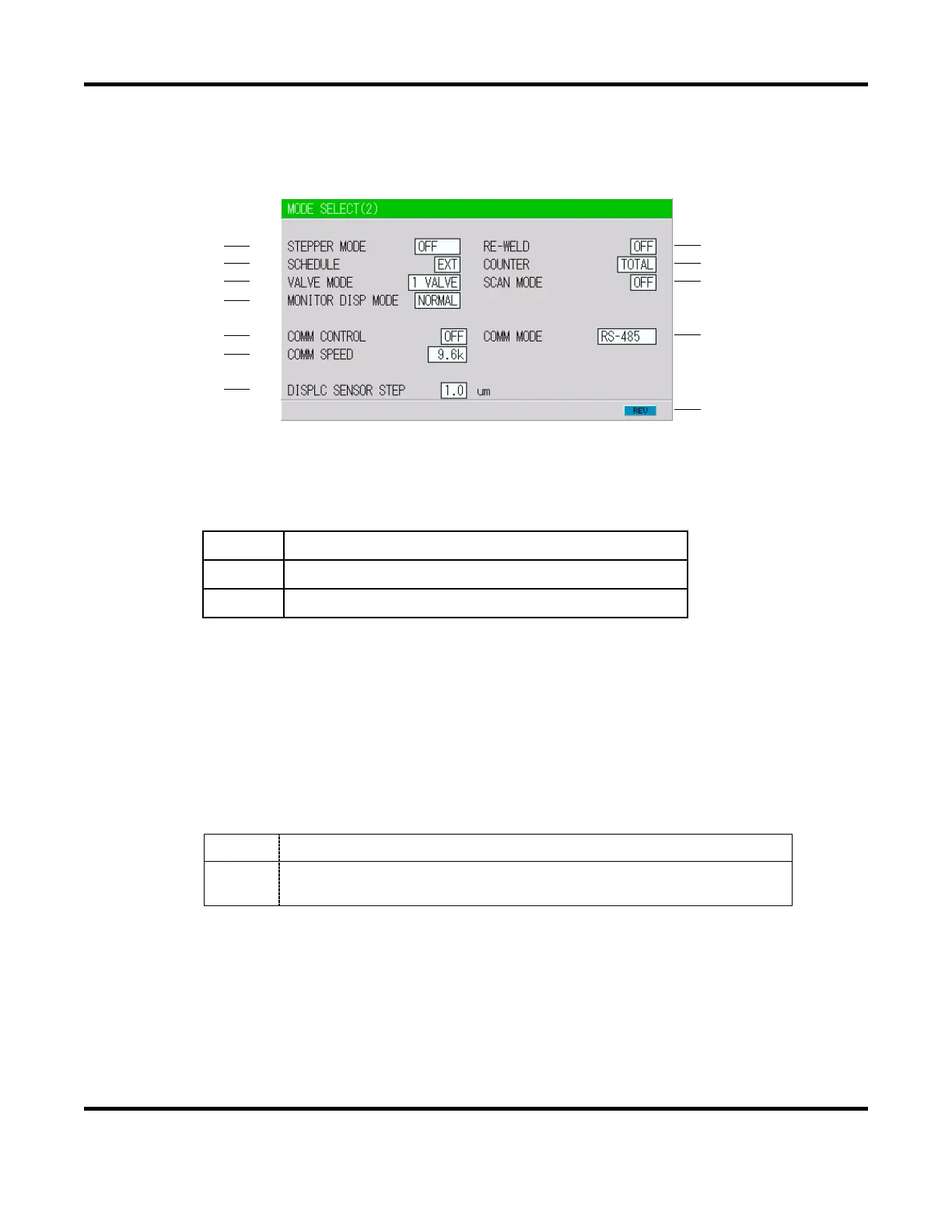
When the cursor () is displayed, pressing the ENTER key will change the display to the MODE
SELECT (2) screen.
k. STEPPER MODE
Select whether or not to perform step-up (step-down) operation, refer to the STEPPER COUNT
Screen.
OFF
Step-up (step-down) will not be performed.
FIXED
Step-up (step-down) will be performed. (Stepwise)
LINER
Step-up (step-down) will be performed. (Linear)
NOTE: RATIO has an effect on HEAT only. Fixed for UF/DL. When the HEAT value multiplied
by RATIO falls below the UF/DL value, an error occurs.
The COUNT value works as each STEP value. Example: STEP1 0020 STEP2 0010 indicates
that STEP1 is 20 times and STEP2 is 10 times. The conditions for stepper count-up is the same
as the TOTAL counter.
l. SCHEDULE
Sets the selection method of schedule number.
EXT
Selects the schedule number by binary of the I/O terminal strip.
INT
Selects the schedule number by the SCHEDULE number of the
Pendant. (Note)
NOTE: When setting SCHEDULE to INT, be sure to connect the Pendant and select the
SCHEDULE screen or the MONITOR screen.
(k)
(l)
(m)
(n)
(r)
(t)
(u)
(o)
(p)
(q)
(s)
(v)


 To Next Page
 Loading...