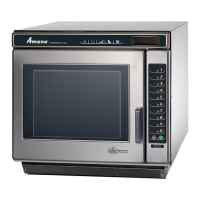
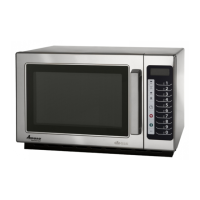
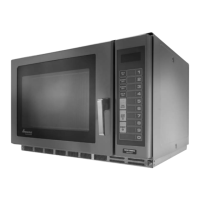
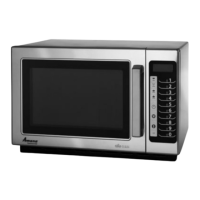
This document is the owner's manual for Amana Commercial Microwave Ovens, specifically models RC17*, RC22*, and RC27*. The asterisk indicates that additional alphanumeric characters may follow the model number, representing other models in the series. The manual provides comprehensive instructions for the safe and effective operation and maintenance of these commercial microwave ovens.
The primary function of these devices is to heat or cook food using microwave energy. They are designed for commercial use, implying a robust build and features suitable for high-volume environments such as restaurants, cafes, or other food service establishments. The ovens utilize microwave technology, which works by agitating food and liquid molecules to generate heat through friction, thereby cooking or heating the food. This process allows for faster cooking times compared to conventional methods.
Usage Features:
The microwave ovens offer a user-friendly control panel with various pads for programming and operation.
- Preprogrammed Pads (MENU 1, MENU 2, Numbers 1-0): The ovens come with two menus, each containing 10 preset number pads. These pads are preprogrammed at the factory for specific heating times and 100% power, but they can be adjusted to meet specific menu requirements. Users can select a desired menu pad and then a number pad to initiate a preprogrammed heating cycle.
- Quantity Feature (QUANTITY pad): When heating more than one item with preprogrammed pads, the QUANTITY pad can be used to increase the quantity up to four items. The oven control automatically calculates the additional cooking time needed.
- Manual Time Entry (TIME ENTRY pad): This feature allows operators to manually enter specific cooking times and power levels without altering the preprogrammed settings. This is useful for custom cooking tasks or items not covered by the presets.
- Power Level Control (POWER LEVEL pad): Users can select different power levels, ranging from 10% to 100%, to control the speed at which food cooks. If no power level is selected, the oven defaults to 100% power.
- Hold Function (HOLD pad): This feature allows the oven to operate for a programmed time without producing microwave energy. This is useful for holding food at a certain temperature or for specific cooking stages that require no microwave heating.
- Programming Multiple Heating Stages: The oven can be programmed to perform up to four consecutive heating cycles without interruption. This allows for complex cooking processes that require different times and power levels for various stages.
- Programming Pause (PAUSE pad): This feature allows users to program a pause halfway through a cooking cycle. The oven stops microwave power, displays "PAUS," and signals three times, reminding the operator to manipulate the food (e.g., stir, rearrange, or turn). Operation resumes by closing the door and pressing START.
- Deleting Heating Stages (DELETE pad): This pad is used to remove preprogrammed number pads, current heating stages, and power levels, allowing for easy modification of settings.
- Status Display (STATUS pad): This pad is used in optional programming to change options and move through different programming stages.
- Start/Stop Functions (START and STOP/RESET pads): The START pad initiates oven operation and saves programming changes. The STOP/RESET pad exits programming mode and stops cooking during a cycle. It can also be used to clear the display or cancel mistakes.
- User Options (Hidden Enable Pad): This feature allows users to customize oven control features, such as the end-of-cycle signal tone, tone when a pad is pressed, control panel reset behavior, end-of-cycle signal loudness, and user-defined time limits for menu pads.
The display provides clear feedback on the oven's status, including "EOC" (End of Cycle), "PAUS" (Pause), "POWER" (microwave energy supplied), "COOK LEVEL" (reduced power or hold), "MENU 1-4" (active menu), "ITEM" (item selected), "LMT" (time limit exceeded), "QTY" (quantity selected), and "STG" (multiple cooking stages).
Maintenance Features:
Regular maintenance is crucial for the longevity and proper functioning of the microwave oven.
- Cleaning Interior, Exterior, and Door: The oven should be cleaned with a mild detergent and warm water using a soft sponge or cloth. Excess water should be wrung out to prevent it from entering the oven. Boiling a cup of water in the oven can help loosen soil before cleaning. Abrasive cleansers, ammonia-containing cleaners, and high-pressure cleaning systems should be avoided as they can damage the finish.
- Cleaning Air Intake Filter: The air intake filter, located just below the oven door, needs weekly cleaning to ensure proper airflow and prevent overheating. It can be removed by turning thumbscrews counterclockwise, washed in hot water and mild detergent, and then reinstalled. The oven should not be operated without the filter in place.
- Cleaning Discharge Air Vents: The discharge air vents, located at the back of the oven, should be checked monthly for cooking vapor buildup and cleaned with a damp cloth to ensure proper airflow.
- Changing Oven Light Bulb: Instructions are provided for safely replacing the oven light bulb. This involves unplugging the oven or opening the circuit breaker, removing an access cover at the back, and carefully turning the bulb counterclockwise. Protective gloves are recommended to prevent burns or cuts from a broken bulb.
- Cleaning Splatter Shield: The splatter shield, located at the top of the oven cavity, protects the antenna from soil. It should be cleaned with a damp cloth or mild detergent and water. To remove it, the oven must be unplugged, and the shield pushed forward and down. It should not be washed in a dishwasher or with abrasive cleaners. Reinstallation involves fitting tabs into slots at the back of the cavity and pressing the front until it snaps into place. Operating the oven without the splatter shield can cause damage to the oven cavity and antenna due to arcing.
The manual also includes troubleshooting tips for common issues such as the oven not operating, displaying unusual characters, the light bulb not working, intermittent operation, or failure to heat food. It emphasizes that only qualified service personnel should perform repairs to avoid electrical shock or death.

 Need help?
 General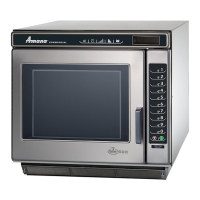

 To Next Page