EasyManua.ls Logo

Amano BX-1500 - User Manual

Amano BX-1500
32 pages
Print Icon
To Next Page IconTo Next Page
Loading...
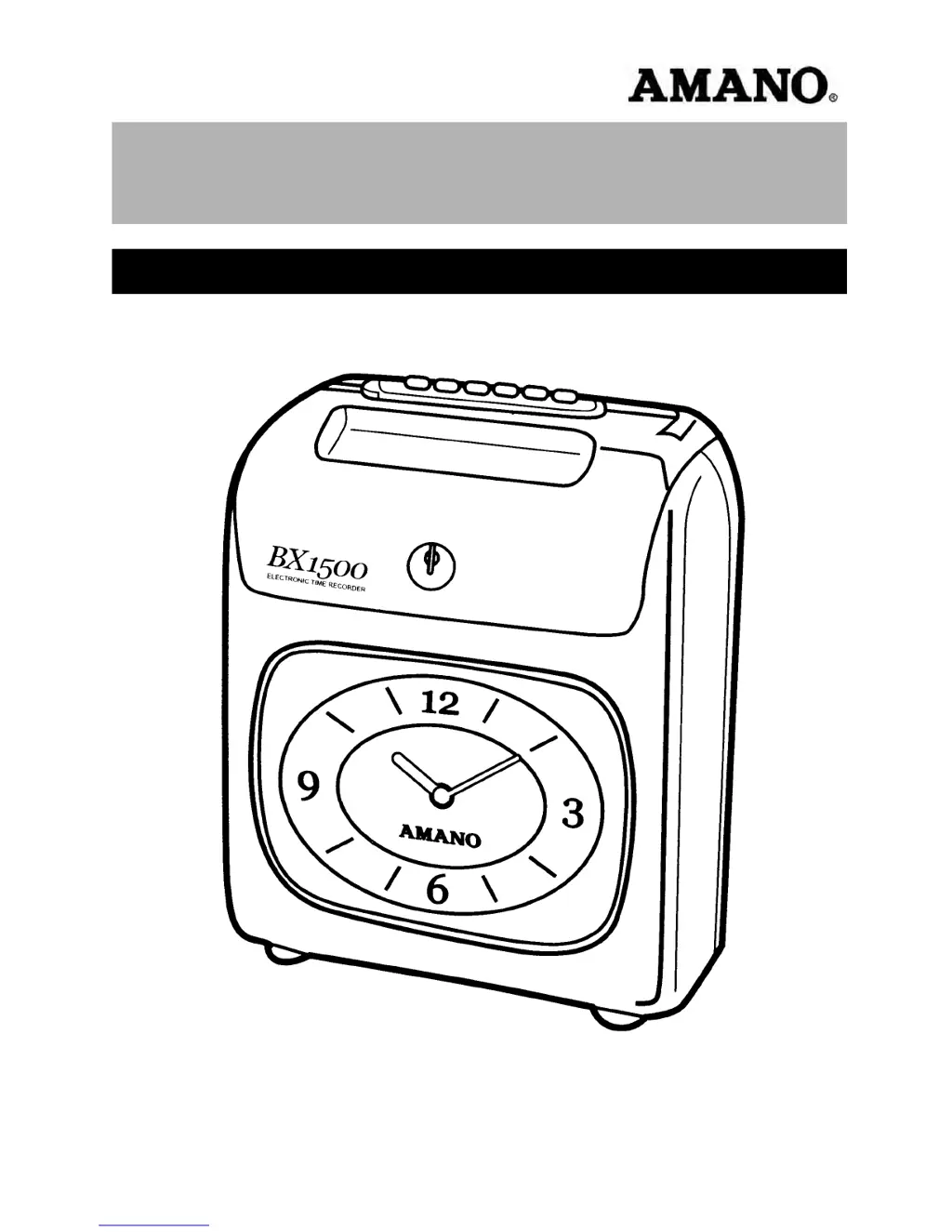
BX-1500
Electronic Time Recorder
Operation Manual

Questions and Answers

  • M
    Melanie RileyAug 1, 2025
    Why is my Amano BX-1500 clock not running?
    • M
      Margaret RobinsonAug 2, 2025
      If the Amano Timer clock is not running, it could be due to a power failure. Wait until the power supply is recovered. Another possible cause is that the power cord is disconnected; ensure the power plug is firmly inserted into the power outlet. If these steps don't resolve the issue, the movement might be malfunctioning. Try pulling the power plug out of the power outlet and then reinserting it.
  • M
    Mindy CamachoAug 8, 2025
    What to do if my Amano BX-1500 Timer doesn't accept the time card?
    • C
      claytonjenniferAug 8, 2025
      If the Amano Timer does not accept the time card, it might be due to a power failure. In this case, wait until the power supply is restored. Alternatively, check if the power cord is disconnected and insert the power plug firmly into the power outlet. If cards were inserted or pulled out by force, pull the power plug out of the power outlet, and then insert it again.
  • L
    Lynn CobbAug 13, 2025
    Why is the printing on my Amano BX-1500 light or imperfect?
    • B
      Brenda PriceAug 13, 2025
      Light or imperfect printing on your Amano Timer may be due to a worn-out ribbon. Replace the ribbon cassette. Another cause could be that the ribbon cassette is not set correctly; ensure it is properly set.
  • N
    Natasha HuffmanAug 25, 2025
    Why is my Amano BX-1500 clock slow or fast?
    • C
      Courtney WrightAug 26, 2025
      If your Amano Timer clock is running slow or fast, it could be due to mistakes in setting the clock. You should set it correctly. Another cause could be a power failure, in which case you should reset it. Finally, the movement might be malfunctioning; try pulling the power plug out of the power outlet, then inserting it again.
  • M
    Miss Christine Jones MDSep 10, 2025
    What to do if I hear a long beep without printing on Amano BX-1500 Timer?
    • M
      Michael WilkinsonSep 12, 2025
      If you hear a long beep without printing on your Amano Timer, it could be that the card was inserted backwards. Insert it the other way round. Another possible reason is that the card was not correctly inserted; insert it with slight pressure.

Summary

Important Safety Information

Safety Warning Definitions

Defines symbols and text used for warnings of fatal or serious physical injuries.

Safety Caution Definitions

Defines symbols and text used for cautions regarding physical injuries or material damages.

BX1500 Operational Safety Warnings

Electrical and Hazard Warnings

Details critical warnings concerning voltage, socket overload, wet hands, cord damage, and unit modification.

BX1500 Operational Safety Cautions

Installation and Environmental Cautions

Provides cautions for safe installation and operation regarding socket access, surfaces, atmosphere, and handling.

BX1500 Programming Guide

Setting Index Overview

Explains how to use the setting index dial and buttons to navigate and select programming options.

BX1500 Setting Index Details

Setting Index ② Functions

Details the functions of Setting Index ② for clock, daylight saving time, and adjustment settings.

BX1500 Installation Cautions

BX1500 Wall Mounting Instructions

Wall Mounting Procedure

Step-by-step guide for securely mounting the BX1500 time recorder onto a wall.

BX1500 Power Source Information

Power Source Warnings

Reiterates warnings related to electrical hazards, cord damage, and unauthorized unit modification.

Power Source Cautions

Details cautions for handling power plugs, socket placement, and cord safety during operation.

BX1500 Imprint Settings

BX1500 Imprint Setting Examples & Steps

Setting Imprint Example

Illustrates setting the card type, surface detection, print format, and minute indication for specific needs.

BX1500 Pay Period Settings

BX1500 Monthly Pay Period

BX1500 Clock Minute Setting

BX1500 Clock Date Setting

BX1500 Clock Time Setting

BX1500 Daylight Saving Time

BX1500 Daylight Saving Time Steps

BX1500 Troubleshooting

Troubleshooting Guide

Lists common problems with time cards, clock, printing, and position, along with causes and solutions.

BX1500 Error Code List

Error Code Explanations

Lists error codes (Err 1, Err 2, Err 3) and their meanings, recommending dealer contact for resolution.

BX1500 Ribbon Cassette Replacement

Ribbon Cassette Warnings

Safety warnings regarding electrical shock and cord damage during ribbon cassette replacement.

Amano BX-1500 Specifications

General IconGeneral
BrandAmano
ModelBX-1500
CategoryTimer
LanguageEnglish