24. How to delete custom watch face?
You can delete custom images on your watch or through computer.
1) Delete on the watch
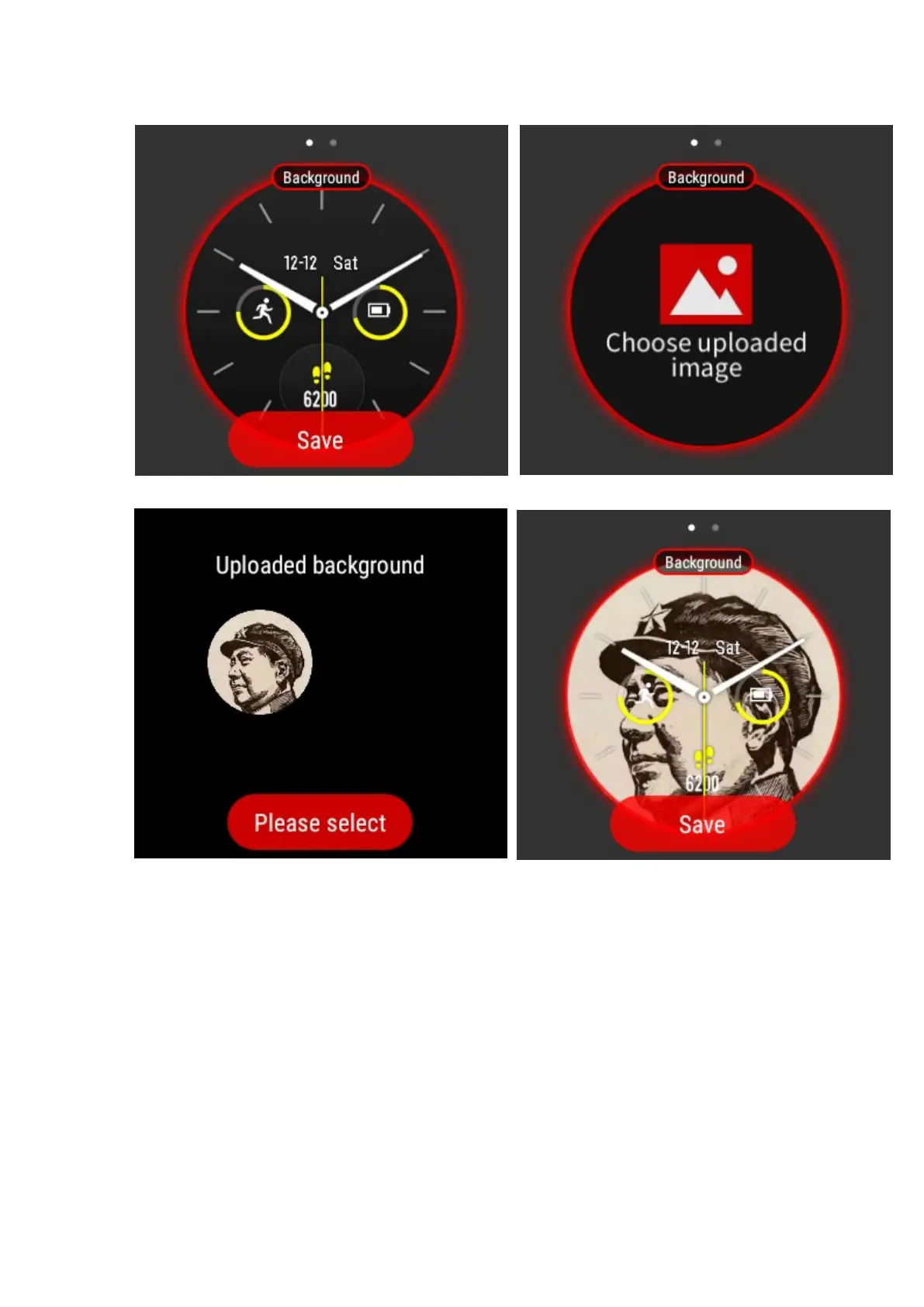
On the home screen of the Amazfit Watch app, select Watch Faces.
Tap on any of the last three Watch Faces: 2017, Eternal Morning, or Golden Rooster.
On the background watch interface, swipe UP till it shows " Choose uploaded image"
Tap the " choose uploaded image", you will see all the custom images you make
Long press the image you want to delete till it appears "X"
Tap "X" and the image will be deleted from your watch


 To Next Page