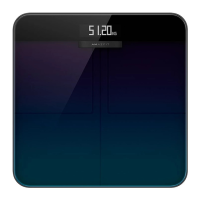
automatically find a matched name. If this happens, lift your foot and step on the scale again to
select your name, and then map your measurement results to the correct user name.
If you have not registered an account, select the anonymous profile photo, . As anonymous
information is not stored on the Amazfit Smart Scale, your body composition data will not be
displayed on the Amazfit Smart Scale. After data is synchronized to the app, the data can be re-
allocated to a registered user.
Guest mode
If you want your guests to use the Amazfit Smart Scale to view their body data, but you do not
want to add them as family members for body data tracking, use the guest mode for measurement.
1. Go to the Body score tab on the app home page, and tap Guest at the bottom.
2. Configure the correct guest information to ensure accurate analysis.
3. Tap Start and complete the measurement as prompted by the app.
4. When the measurement is performed in guest mode, the icon is displayed on the scale.
Baby weighing
If you want to record the weights of babies, you can use the Baby weighing mode for
measurement. The steps are as follows:
1. Go to the Weight tab on the app home page, and tap Weigh infant at the bottom.
2. Complete the measurement as prompted by the app.
Allocating the measurement data
If you select anonymous on the scale to measure your weight, or your weight is incorrectly
mapped to anonymous, you can claim and re-allocate the data that does not match the user in the
app. The steps are as follows:


 To Next Page
 Loading...