EasyManua.ls Logo

Amazing Machinery 3188 Series - User Manual

Default Icon
20 pages
Print Icon
To Next Page IconTo Next Page
Loading...
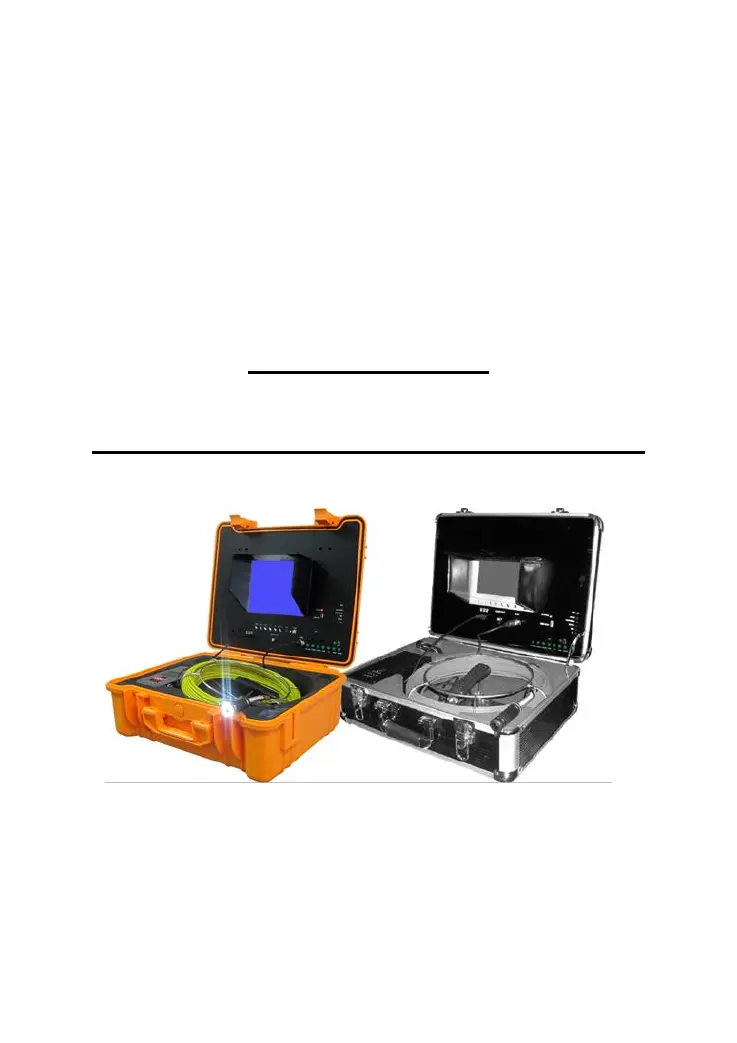
PIPE & WALL
VIDEO INSPECTION SYSTEM
USER MANUAL
For
3188 and 4188 Series
ASSEMBLING AND OPERATING INSTRUCTIONS
--------------------------------------------------------------------------------
Read this manual carefully before operating this system

Questions and Answers

  • J
    Joseph MartinJul 28, 2025
    Why is my Amazing Machinery 3188 screen flashing?
    • J
      James DuranJul 28, 2025
      If the Amazing Machinery Analytical Instruments screen is flashing, it could be due to low battery power. Try recharging the battery. Alternatively, the issue might stem from incorrect use of the charger cable and power cord. Try switching the cables to resolve the flashing.
  • H
    Heather GreenAug 2, 2025
    What to do if my Amazing Machinery Analytical Instruments are not recording?
    • K
      Kyle JenkinsAug 2, 2025
      If your Amazing Machinery Analytical Instruments are not recording, ensure that you press the “Video” button and set it to Video2. Also, verify that the monitor indicator light is green after pressing the POWER button. If the problem persists, try using another USB disk or micro SD card.
  • A
    Ariel CarterAug 7, 2025
    How to fix a blank screen on Amazing Machinery Analytical Instruments?
    • A
      Anthony YorkAug 7, 2025
      If you're experiencing a blank screen on your Amazing Machinery Analytical Instruments, try the following: First, replace the fuse. If that doesn't work, recharge the battery or try using the wall adapter. Finally, check the power line and reconnect it to ensure a stable power supply.
  • O
    Olivia AllenAug 12, 2025
    What to do if my Amazing Machinery Analytical Instruments show no signal?
    • A
      Alyssa PriceAug 13, 2025
      If your Amazing Machinery Analytical Instruments are showing no signal, try these steps: Review the manual and reconnect the device. Check the camera head and ensure it is screwed down tightly. Clean the camera pins and the connection area on the PCB board. Inspect the pins to confirm they are aligned at the same level.
  • L
    Lisa MccormickAug 17, 2025
    How to resolve record abnormity on Amazing Machinery 3188?
    • D
      Daniel GreerAug 17, 2025
      To address recording abnormalities with your Amazing Machinery Analytical Instruments, shut off the unit and restart it following the correct steps.
  • G
    gvegaAug 22, 2025
    How to fix weak light on Amazing Machinery 3188 camera?
    • E
      Erin LewisAug 23, 2025
      If the camera on your Amazing Machinery Analytical Instruments has weak or no light, press the LED button to turn it on or off. Alternatively, adjust the LED brightness setting using the “MENU” button.

Summary

Safety Warnings

General Safety Precautions

Key safety guidelines for operating the device, including environmental hazards, usage conditions, and handling precautions.

System Instructions

Applicable Models

Details the 3188 series and Model 4188 pipe inspection systems supported by this manual.

Version Comparison

Highlights improvements and differences between new and old versions of the inspection system.

Assembly and Specifications

Assembly Drawing and Parts List

Lists all parts of the system with their corresponding numbers for identification and visual reference.

Technical Specifications

Provides key technical specifications for the pipe inspection system, including power, cable length, and camera details.

Application and Device Overview

Application Scenarios

Lists various systems and environments where the pipe inspection system can be applied.

Know Your Device

Introduces the system components, including diagrams of the monitor, control unit, and their respective parts.

System Components

Camera Head Details

Explains the components of the camera head, including LEDs, lens, and built-in transmitter.

Cable Reel Assembly

Details the components and connection points of the cable reel.

Counter Functionality

Describes the optoelectronic meter counter for the 4188H model and its controls.

Remote Control Functions

Explains the functions and operation of the remote control for DVR/Micro SD card recording.

System Setup and Configuration

System Set-Up Procedure

Provides step-by-step instructions for connecting and powering on the system components.

System Menu Setting

Guides users through setting the clock, language, and other system parameters via the menu interface.

Recording Operations

Recording Operation

Details how to start, stop, and manage video recording using the system's controls.

LED Indicators

Explains the meaning of various LED indicators for system status, recording, and connectivity.

Recording Time Limit and Schedule

Covers the default recording time limit and how to set up scheduled recordings.

Video Management

Recording via USB Stick;Micro SD Card

Explains how to record video and voice onto USB drives or Micro SD cards.

Video Playing and File Selection

Guides on how to play back recorded videos and navigate through stored files.

Fast Forwarding and Rewinding

Details how to use the remote control for fast forwarding and rewinding video playback.

Compatible Video Formats

Lists the video file formats supported by the system's playback capabilities.

Software and Installation

Video Player Software Installation

Provides options for installing necessary video player software to view recorded files.

Advanced Features

Locating the Camera Head

Explains how to locate the camera head using its built-in 512HZ transmitter.

Recharging the Battery

Provides instructions on how to charge the device's battery and important charging precautions.

Troubleshooting

Trouble Shooting Guide

Lists common problems, their reasons, and solutions for the video inspection system.

Amazing Machinery 3188 Series Specifications

General IconGeneral
BrandAmazing Machinery
Model3188 Series
CategoryAnalytical Instruments
LanguageEnglish

Related product manuals