
 Need help?
Do you have a question about the Amazon KINDLE FIRE HD 7 and is the answer not in the manual?
Connect the Kindle to the USB charging cable and a compatible power adapter to charge the device.
Press the power button to start; touch and drag the lock icon to unlock the screen.
Find safety, compliance, and recycling info in Settings. Visit kindle.com/support for help.
Read terms of use, privacy notices, and warranty details at specified Amazon websites.
This document provides an introduction to the Kindle device, outlining its basic functions, usage, and important product information. It serves as a quick start guide for new users, focusing on getting the device set up and operational, as well as providing essential details regarding safety, compliance, and warranty.
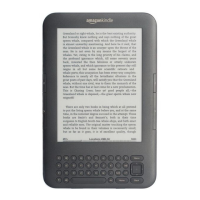
The Kindle is an electronic reading device designed primarily for consuming digital content, such as e-books, magazines, and other documents. Its core function is to provide a portable and dedicated platform for reading, offering features that enhance the reading experience. The device is equipped with a screen that displays text and images, allowing users to navigate through content, adjust settings, and interact with the Kindle ecosystem. It is designed to be user-friendly, with a straightforward interface that prioritizes ease of access to reading material. The Kindle connects to the internet, enabling users to download new content from the Kindle Store, sync their reading progress across multiple devices, and access cloud-based services. It also supports audio playback through a headphone/input jack, suggesting capabilities for audiobooks or other audio content. The device is powered by an internal battery, which requires charging via a USB cable.
To begin using the Kindle, the first step is to charge the device. The manual illustrates connecting the Kindle to a USB charging cable. This cable can then be connected to a Kindle PowerFast accelerated charging accessory (sold separately) or another compatible USB power adapter. This charging flexibility allows users to power up their device using various sources, although an optimized charging accessory is recommended for faster charging. Once charged, the Kindle can be started by pressing the power button.
Unlocking the Kindle involves a simple gesture: touching the lock icon and dragging a shaded bar across the screen to the left. This mechanism prevents accidental interactions while the device is not in active use. The device's interface is designed to be intuitive, guiding users through its functionalities. For more detailed information on how to use the Kindle, users are directed to the "Help & Feedback" app available on the device itself. This integrated help system provides immediate access to support and guidance without needing an external resource.
The Kindle's primary interaction method appears to be touch-based, given the "slide to unlock" instruction. The presence of a "VOLUME UP / DOWN" control suggests that the device has audio capabilities, likely for listening to audiobooks or other multimedia content. The "HEADPHONE / INPUT" jack further supports this, allowing users to connect headphones for private listening or potentially an external audio source. The device's connectivity to the Kindle Store is a crucial feature, enabling users to browse, purchase, and download a vast library of digital books and other content directly to their device. This seamless access to content is a cornerstone of the Kindle experience.
The device is designed for portability, allowing users to carry their entire library with them wherever they go. Its dedicated nature means it is optimized for reading, minimizing distractions often associated with multi-purpose devices like smartphones or tablets. The ability to sync reading progress across devices ensures that users can pick up where they left off, regardless of which Kindle device or app they are using. This cloud integration enhances the overall user experience by providing flexibility and convenience.
While the manual does not explicitly detail extensive maintenance procedures, it provides crucial information regarding the care and longevity of the device. The most significant maintenance aspect highlighted is charging. Regular charging using the provided USB cable and a compatible power adapter is essential to keep the Kindle operational. Users are advised to visit www.kindle.com/support/charging for more information on charging accessories, implying that using appropriate accessories can contribute to the device's health and battery life.
The document also emphasizes the importance of understanding "important product information" which includes safety, compliance, and recycling details. This information can be found in the "Legal & Compliance" section within the Kindle's Settings menu. Adhering to these guidelines is a form of maintenance, ensuring the device is used safely and responsibly, which can prevent damage and prolong its lifespan. For additional help and troubleshooting, users are directed to www.kindle.com/support, which serves as a central hub for customer service and technical assistance. This online resource is vital for addressing any issues that may arise during the device's usage.
Furthermore, the Kindle is covered by a "One-Year Limited Warranty." Details of this warranty are available at www.amazon.com/kindlewarranty. Understanding the warranty terms is crucial for users, as it outlines the scope of coverage for potential defects or malfunctions, providing a safety net for repairs or replacements within the specified period. This warranty acts as a form of long-term maintenance support, ensuring that users are protected against manufacturing issues.
The "Amazon Terms and Policies" section also plays a role in device maintenance by setting expectations for usage. Users are required to read and agree to these terms, which include rules and policies for the Kindle device and services, as well as the Amazon privacy notice. Adhering to these agreements ensures that the device is used in a manner consistent with the manufacturer's guidelines, which can indirectly contribute to its proper functioning and longevity. For instance, using the device within specified environmental conditions or avoiding unauthorized modifications, as typically outlined in such terms, can prevent damage.
In summary, the maintenance of the Kindle primarily involves proper charging practices, adherence to safety and compliance guidelines, utilizing the integrated help resources, and understanding the warranty terms. These aspects collectively contribute to ensuring the device remains functional and provides a consistent reading experience over time.
 General
| Processor cores | 2 |
|---|---|
| Processor family | - |
| Processor frequency | 1.2 GHz |
| Internal memory | - GB |
| Storage media | Flash |
| Card reader integrated | No |
| Compatible memory cards | Not supported |
| Internal storage capacity | 16 GB |
| Display diagonal | 7 \ |
| Touch technology | Multi-touch |
| Touchscreen type | Capacitive |
| Display resolution | 1280 x 800 pixels |
| Rear camera | Yes |
| Rear camera type | Single camera |
| Maximum video resolution | 1280 x 720 pixels |
| Rear camera resolution (numeric) | 2 MP |
| Audio system | Dolby Audio |
| Headphone connectivity | 3.5 mm |
| USB 2.0 ports quantity | 0 |
| Micro-USB 2.0 ports quantity | 1 |
| Audio formats supported | AAC, AAX, AMR, HE-AAC, LC-AAC, MIDI, MP3, MP4, OGG, PCM, WAV |
| Image formats supported | BMP, GIF, JPG, PNG |
| Video formats supported | 3GP, MP4, VP8 |
| Document formats supported | AZW, DOC, DOCX, HTML, MOBI, PDF, PRC, TXT |
| Device type | Mobile tablet |
| Form factor | Slate |
| Product color | Black |
| Battery capacity | - mAh |
| Battery life (max) | 11 h |
| Operating system installed | Fire OS |
| Cables included | USB |
 Weight and Dimensions
| Depth | 193 mm |
|---|---|
| Width | 137 mm |
| Height | 10.3 mm |
| Weight | - g |













 To Next Page