4
Installing the Battery
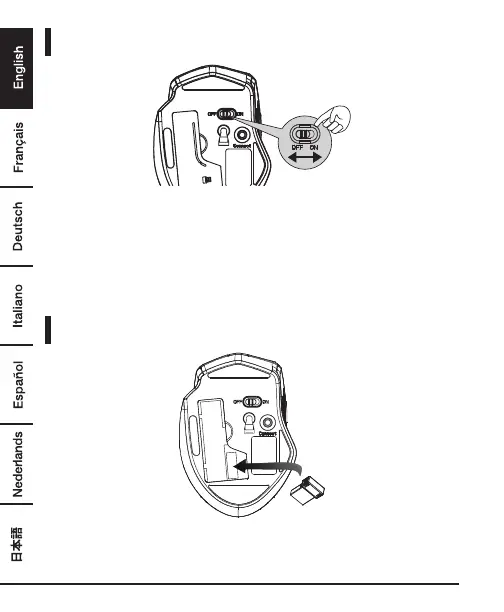
• Remove the battery cover.
• Insert the battery correctly with regard to polarity (+ and –) marked on the
battery and the product.
• Place the cover back over the battery compartment.
• Set the ON/OFF switch to ON.
Connecting Mouse to Receiver
• Remove the battery cover, and take the nano receiver out.
• Plug the nano receiver into a USB port of your computer.


 To Next Page