EasyManua.ls Logo

Amber 5500 - Page 18

Default Icon
44 pages
Print Icon
To Next Page IconTo Next Page
To Previous Page IconTo Previous Page
Loading...
Programmable
Audio
Measurement
System
Section
2
If
an
invalid
frequency
why
is
attempted,
an
error
will
be
displayed.
Examples
of
errors
would
be
requesting
a
frequency
outside
the
generator
range
(e.g.,
1
MHz),
keying
in
too
many
data
digits
(more
than
5)
or
an
im-
proper
terminator
(Volts,
for
example).
A
special
method
of
frequency
entry
may
be
useful
in
certain
circumstances.
If
the
5500
is
reading
the
frequency
of
an
extemal
source
(not
the
5500
internal
oscillator)
and
it
is
desired
to
set
the
internal
oscillator
to
that
frequency,
the
first
inclination
would
be
to
key
in
the
digits
of
that
measured
frequency.
However,
a
simpler
way
exists.
The
“*”
key
uses
the
currently
measured
value
as
DATA.
So,
to
set
the
internal
oscillator
to
the
measured
extemal
frequency,
just
push
the
FREQ
prefix
key
followed
by
the
*
(no
ter-
minator
is
required).
The
oscillator
should
now
be
programmed
to
the
frequency
of
this
extemal
source.
2.2.2
IMD
FREQUENCY
(requires
option
002
IMD)
The
FREQUENCY
prefix
key
in
the
IMD
mode
sets
the
HF
component
of
the
SMPTE/DIN
signal
or
the
mean
frequency
of
the
CCIF
signal.
The
lower
limit
of
the
analyzer
is
2
kHz.
If
a
lower
frequency
is
entered
in
the
IMD
mode,
the
resulting
meas-
urement
will
be
non-valid.
The
LP
component
of
the
SMPTE/DIN
signal
or
offset
frequency
in
the
CCIF
mode
is
set
using
the
IMD
LOW
FREQUENCY
prefix
key.
Eight
frequencies
are
available:
40,
50,
60,
80,
100,
125,
250
or
500
Hz.
If
a
number
other
than
these
is
entered,
the
available
Amber
model
5500
Owner’s
Manual
Version
07
frequency
closest
to
the
entered
value
will
be
automatically
selected.
Note
that
when
the
SMPTE/DIN
IMD
func-
tion
is
selected,
if
the
HF
is
below
2
kHz,
it
is
automatically
set
to
7
kHz.
The
LP
is
set
to
the
last
used
value.
The
user
may
then
over-
ride
these
values
with
additional
numeric
entries.
If
another
function
is
selected
and
IMD
SMPTE/DIN
again
selected,
the
pre-
viously
used
frequencies
will
be
used
(unless
the
HF
has
been
set
to
below
2
kHz
while
another
function
was
selected).
On
first
power-up,
the
LF
oscillator
is
set
to
its
default
value
of
60
Hz.
Therefore,
the
first
time
the
IMD
function
is
selected
after
default
state
power-up,
60
Hz
will
be
used.
If
the
LF
oscillator
is
manually
changed
to
a
different
frequency,
it
will
remain
at
this
new
manually
entered
frequency
until
either
again
manual-
ly
changed
or
until
the
instrument
is
powered
down.
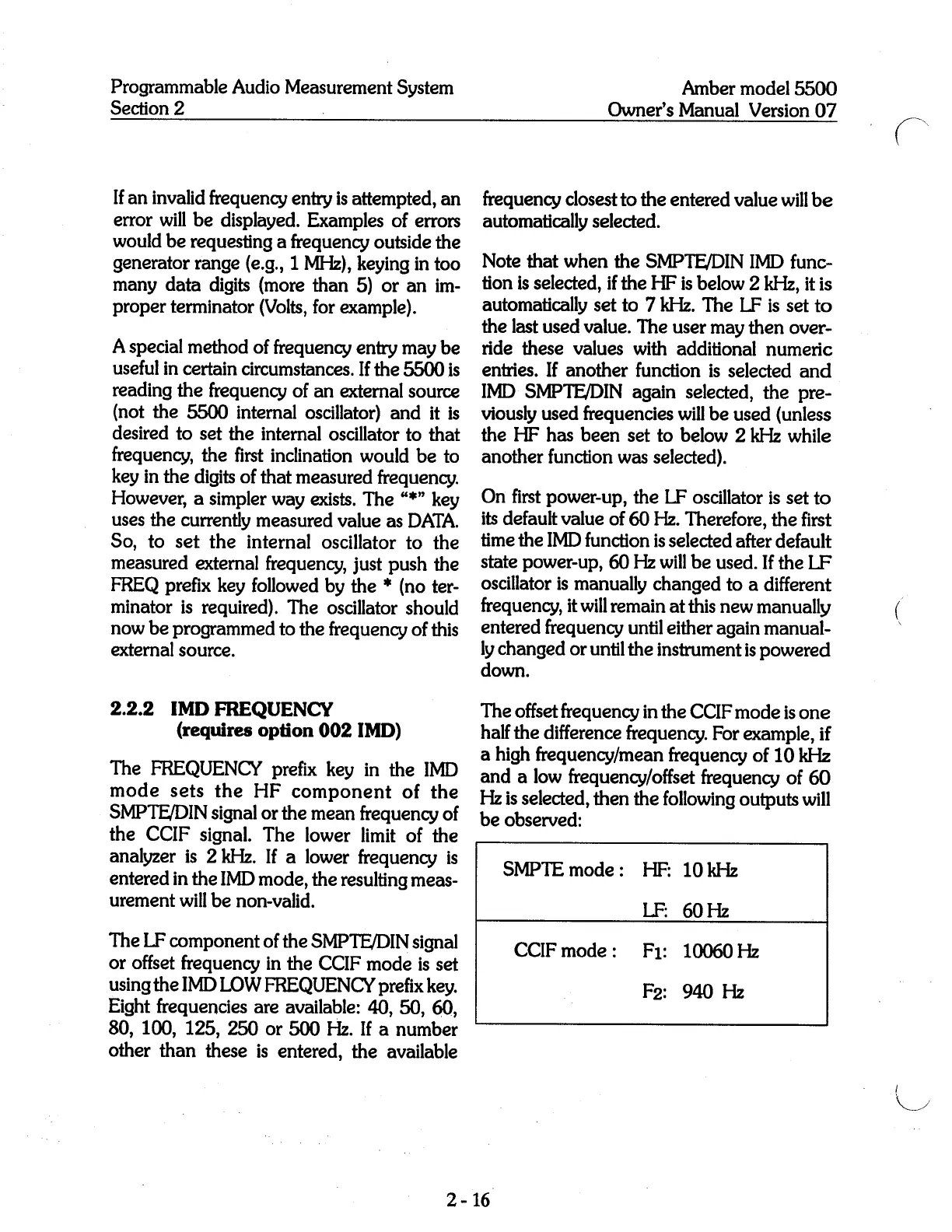
The
offset
frequency
in
the
CCIF
mode
is
one
half
the
difference
frequency.
For
example,
if
a
high
frequency/mean
frequency
of
10
kHz
and
a
low
frequency/offset
frequency
of
60
Hz
is
selected,
then
the
following
outputs
will
be
observed:
SMPTE
mode:
HF:
10kHz
LF:
60Hz
CCIF
mode:
F1:
10060Hz
F2:
940
Hz
2-16
F