[
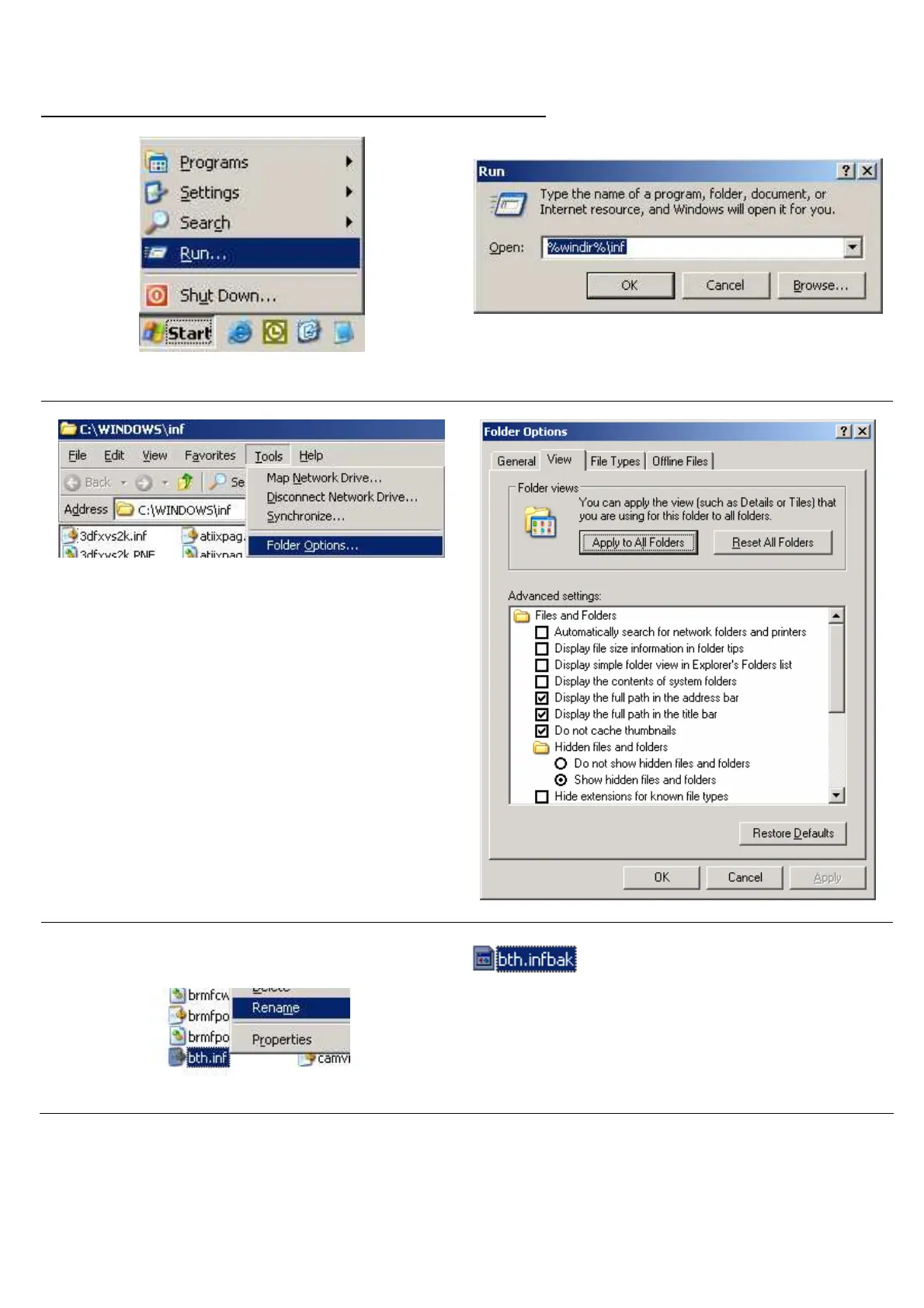
Step A. Renaming The Microsoft Generic Bluetooth Driver]
•
Click the Run function on the Start button.
•
Then type %windir%\inf and click OK.
• Select Folder Options from the Tools menu.
• Click on the View tab.
• In the Advanced settings, change the Hidden
files and folders setting to Show hidden files
and folders.
• Uncheck Hide extensions for known file types.
• Click OK twice to return to the inf Windows.
• Search for the Bth.inf file.
• Right-click and rename it to Bth.infbak.
• Reboot your computer. Continue on next page.



 To Next Page