[Step B. Installing The Bundled Bluetooth Software]
Do NOT Insert The USB Bluetooth Adapter Yet
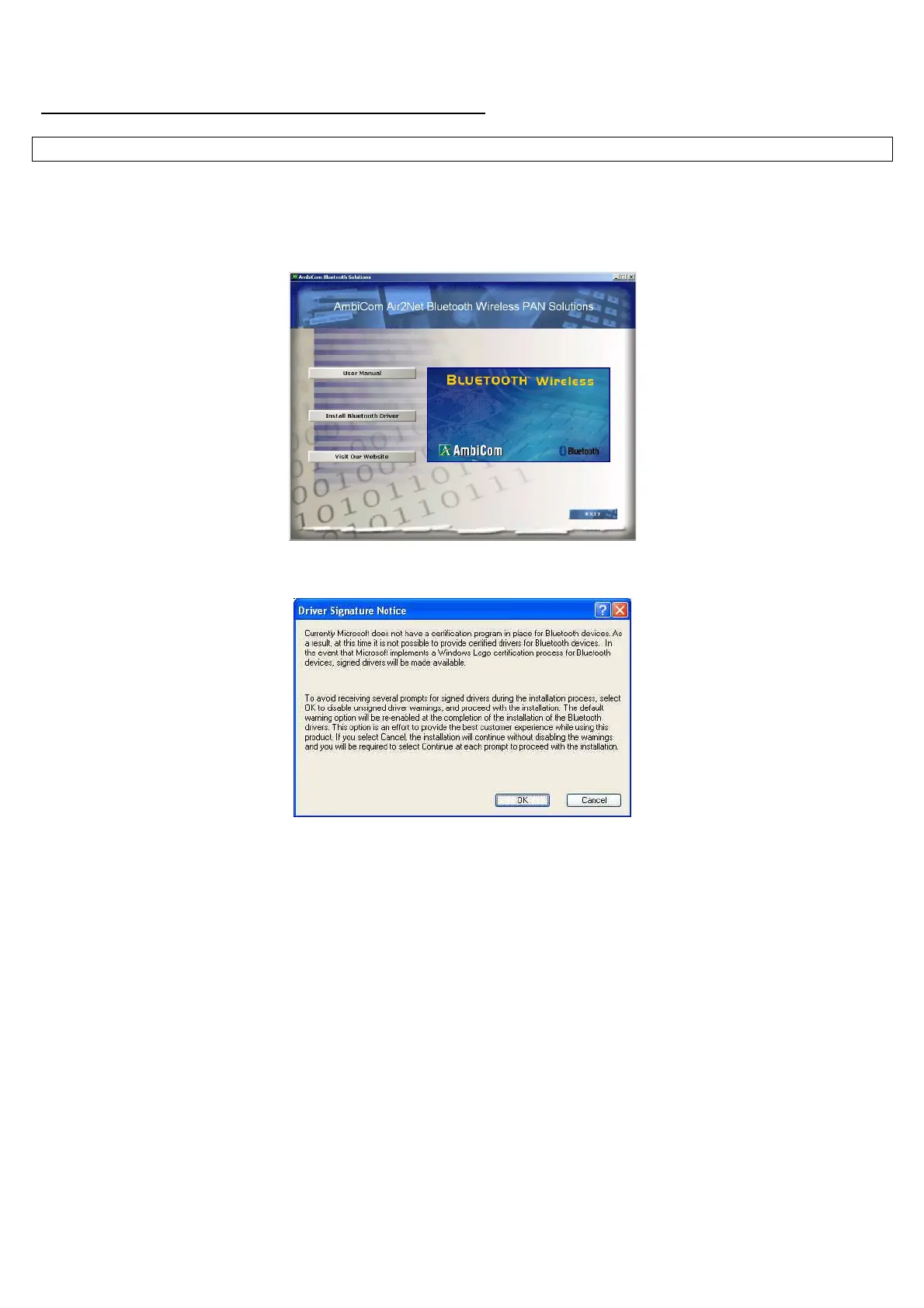
1. Place the Setup CD into your CD-ROM drive. Setup should start automatically. If the setup does not start
please go to Windows Explorer, locate the CD-ROM and double-click “Setup.exe”.
2. Click “Install Bluetooth Driver”, and then click “Next”.
3. Click “OK” if the “Driver Signature Notice” appears.
4. When the “Bluetooth device not found” window appears. Insert the USB Bluetooth adapter and click
“OK”. Click “Finish” to complete the installation. If asked to restart the computer, click “Yes”.
5. Congratulation! You can double-click “My Bluetooth Places” to start using the device.
6. For discovering and pairing your Bluetooth devices to our Bluetooth USB device, please refer to your
Bluetooth devices manual for proper procedures and Pass Code (Pin Code).



 To Next Page