INSTRUCTIONS FOR USE
Warning before using the heater make sure that it is mounted tightly on
the wall. Damage may occur if it is mounted on an incline or decline.
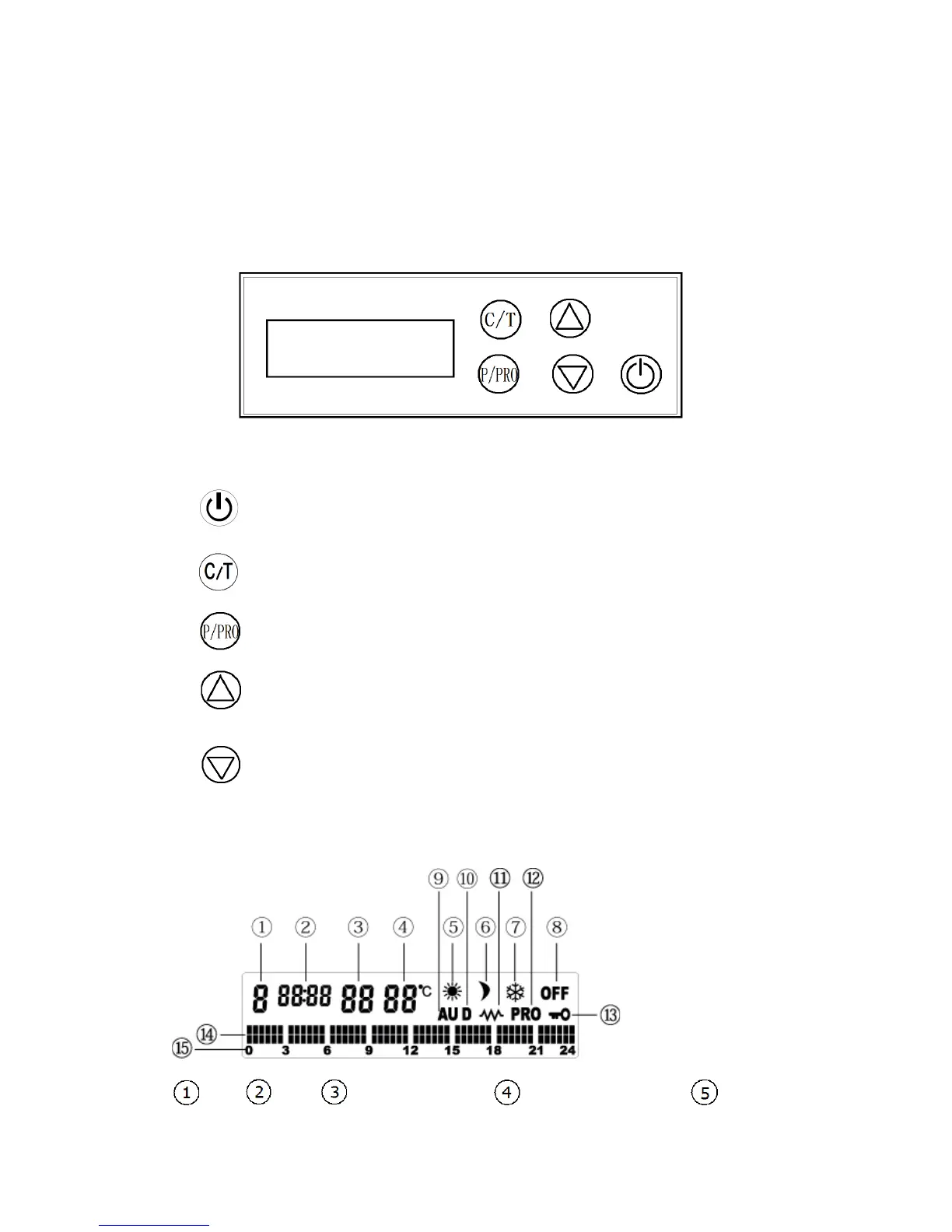
1. Control panel and LCD screen
Control panel:
There are total 5 buttons on the control box as follows:
------Power stand by button
------Date and time settings;
Room temperature setting
------Select running mode;
Set program
------Increasing of time, temperature;
Selecting working mode
------Decreasing of time, temperature;
Selecting working mode
Screen:
Date Time Program name Target temperature Comfort



 To Next Page