means you are ready to set the program (during this period, unit will stop
heating)
Press to select working mode( and mean comfort; and mean
economic; and mean anti-frost), then press to copy the working mode
one segment by one segment. Press & Hold (for approximately 3
seconds) to finish the program setting and unit will return to normal running.
Note: the contents of free program will not be kept in the memory and will
return to anti-frost working mode after running.
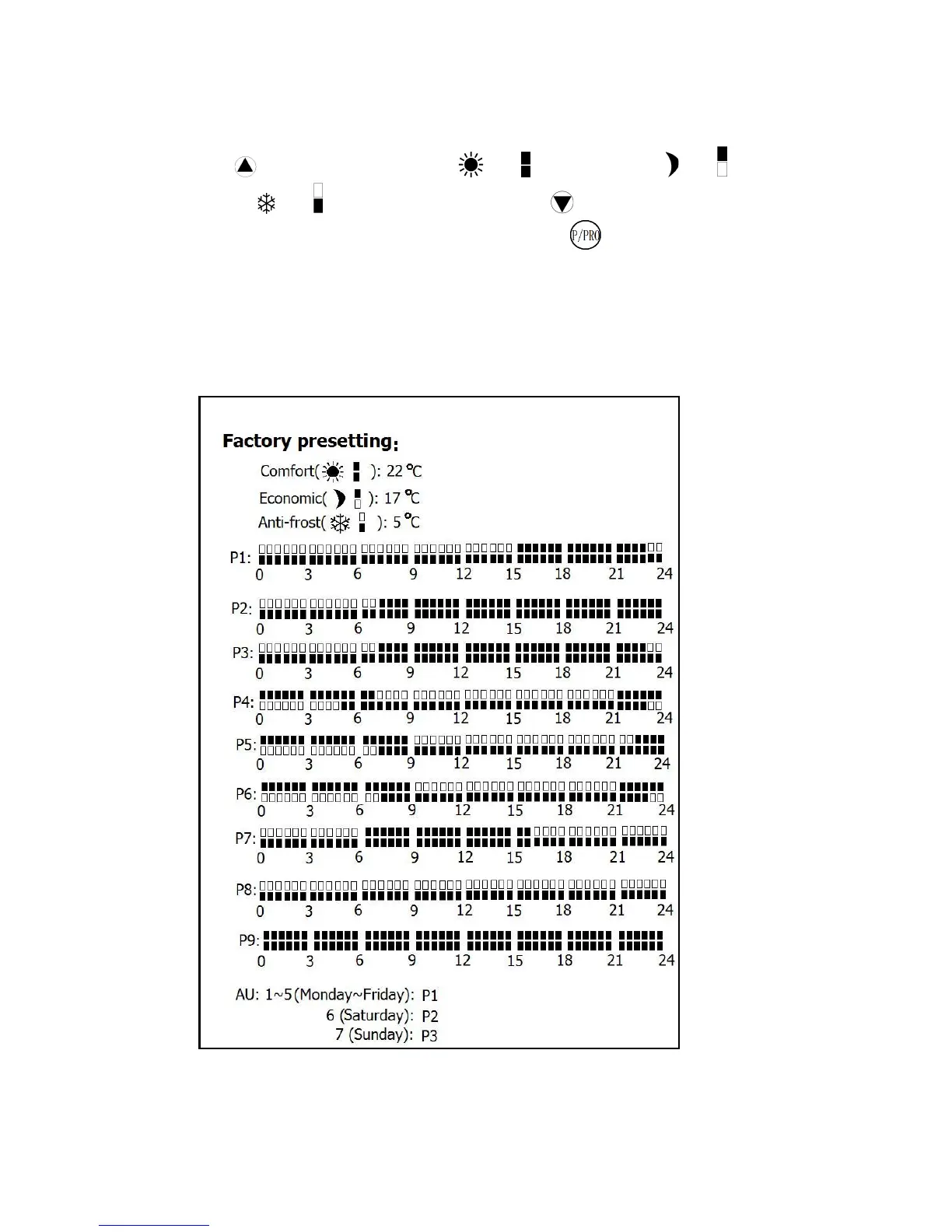
9. Factory pre-setting: (See below)
The unit is with a factory pre-setting as follows:



 To Next Page