EasyManua.ls Logo

Ambient Weather WH31L - User Manual

Ambient Weather WH31L
9 pages
Print Icon
To Next Page IconTo Next Page
Loading...
Version 1.0 ©Copyright 2020, Ambient LLC. All Rights Reserved. Page 1
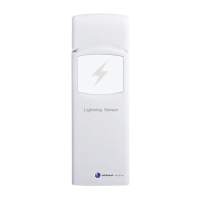
Ambient Weather WH31L Lightning Detector
Table of Contents
1. Introduction ..................................................................................................................................... 1
2. How It Works .................................................................................................................................. 2
3. Features ........................................................................................................................................... 2
4. Limitations ...................................................................................................................................... 2
5. Getting Started ................................................................................................................................ 2
5.1 Parts List ................................................................................................................................. 2
5.2 Recommend Tools .................................................................................................................. 3
6. Setup Guide ..................................................................................................................................... 3
6.1 Batteries and Dip Switches ..................................................................................................... 3
6.2 LED Indicator ......................................................................................................................... 4
7. Sensor Placement ............................................................................................................................ 4
8. Console ........................................................................................................................................... 5
8.1 Distance Units of Measure ..................................................................................................... 5
9. Specifications .................................................................................................................................. 6
9.1 Wireless Specifications .......................................................................................................... 6
9.2 Power Consumption ............................................................................................................... 6
10. Troubleshooting .......................................................................................................................... 6
11. Liability Disclaimer .................................................................................................................... 6
12. FCC Statement............................................................................................................................ 7
13. Warranty Information ................................................................................................................. 7
14. California Prop 65 ...................................................................................................................... 8
1. Introduction
Thank you for your purchase of the Ambient Weather WH31L Lightning Detector. The following user
guide provides step by step instructions for installation, operation and troubleshooting. To download
the latest manual and additional troubleshooting tips, please visit:
https://help.ambientweather.net/help/
The lightning detector is not a stand-alone device, and requires a WS-2000 or WS-5000 weather
station to view and upload the data to our cloud hosting service at AmbientWeather.net.
To see if your weather station is compatible, please visit:
https://help.ambientweather.net/product/wh31l/
The following WS-2000 and WS-5000 console firmware versions or greater support lightning
detector:
Firmware revision number: V1.6.0
WiFi Firmware: AMBWeatherV4.2.0
For details on updating the firmware, consult your weather station user manual.

Question and Answer IconNeed help?

Do you have a question about the Ambient Weather WH31L and is the answer not in the manual?

Summary

How It Works

Features

Limitations

Getting Started

Parts List

Lists the components included with the Ambient Weather WH31L lightning detector.

Recommend Tools

Suggests tools needed for mounting the lightning detector sensor.

Setup Guide

Batteries and Dip Switches

Details installing batteries and configuring dip switches for the lightning detector.

LED Indicator

Explains the meaning of the LED indicator lights on the lightning detector.

Sensor Placement

Console

Distance Units of Measure

Explains how the unit of measure for lightning strike distance is determined.

Specifications

Wireless Specifications

Outlines the wireless transmission range, frequency, and update rate of the detector.

Power Consumption

Specifies the power source required for the lightning detector.

Troubleshooting

Liability Disclaimer

FCC Statement

Warranty Information

California Prop 65

Summary

How It Works

Features

Limitations

Getting Started

Parts List

Lists the components included with the Ambient Weather WH31L lightning detector.

Recommend Tools

Suggests tools needed for mounting the lightning detector sensor.

Setup Guide

Batteries and Dip Switches

Details installing batteries and configuring dip switches for the lightning detector.

LED Indicator

Explains the meaning of the LED indicator lights on the lightning detector.

Sensor Placement

Console

Distance Units of Measure

Explains how the unit of measure for lightning strike distance is determined.

Specifications

Wireless Specifications

Outlines the wireless transmission range, frequency, and update rate of the detector.

Power Consumption

Specifies the power source required for the lightning detector.

Troubleshooting

Liability Disclaimer

FCC Statement

Warranty Information

California Prop 65

Overview

The Ambient Weather WH31L Lightning Detector is a device designed to detect lightning strikes within a 25-mile (40 km) radius of its location. It operates by identifying the electromagnetic pulse (EMP) emitted by a lightning strike and then estimating the distance of the strike based on the strength of the detected EMP. This device is not a stand-alone unit and requires a compatible Ambient Weather WS-2000 or WS-5000 weather station to display data and upload it to the AmbientWeather.net cloud hosting service.

Function Description:

The primary function of the WH31L Lightning Detector is to identify and report lightning activity. It transmits readings every 79 seconds to a compatible weather station console. When a lightning strike occurs, the lightning icon on the display console will flash for 30 minutes, and the console will show the most recent strike time elapsed, the strike distance (in miles or km), and the number of strikes per day. This data is then sent to AmbientWeather.net for viewing, graphing, and alerting. The device offers selectable high or low sensor sensitivity to accommodate different installation environments and minimize false alarms or missed strikes. It also features a long wireless range for flexible placement.

Important Technical Specifications:

  • Detection Range: 0 - 25 miles (0 - 40 km)
  • Wireless Transmission: Line of sight up to 330 feet (100 meters) in open air; 100 feet under most conditions.
  • RF Frequency: 915 MHz
  • Update Rate: 79 seconds (sensor transmission update period)
  • Power Source: 2 x AA batteries (not included). Energizer Lithium batteries are recommended for longer life and wider operating temperature range.
  • Working Temperature: 0 – 50°C (32 - 122°F)
  • Dimensions: 123 x 42 x 14 mm (4.8 x 1.6 x 0.5")
  • Compatibility: Requires Ambient Weather WS-2000 or WS-5000 weather station with specific firmware versions (Firmware revision number: V1.6.0 or greater, WiFi Firmware: AMBWeatherV4.2.0 or greater).

Usage Features:

  • Installation: The sensor can be mounted vertically on a wall using a screw or nail, or hung using a string or zip tie. It is recommended to install the sensor outdoors, away from electronic devices or machinery, and not on a metal surface, as metal can shield the sensor from lightning strikes.
  • Dip Switches: The device includes four dip switches for customization:
    • Dip Switch 1 (Indoor/Outdoor): Recommended for outdoor installation. If installed indoors, this setting can be adjusted.
    • Dip Switch 2 (Long Antenna): This setting should not be changed as the long antenna option is the only available configuration.
    • Dip Switch 3 & 4 (Sensitivity): The default sensitivity is between Mid and High. Users can adjust to Mid or Low sensitivity if experiencing false strikes, or to High if missing strikes. If missing strikes on High sensitivity, setting Dip Switch 1 to indoor is recommended. After changing dip switch positions, batteries must be removed for 30 seconds and reinserted for changes to take effect.
  • LED Indicator:
    • Momentary Flash: Indicates one RF data packet sent or one lightning strike detected.
    • Flash for 2 seconds: Notifies detection of noise signals (high EMP noise level). Users can adjust sensitivity or relocate the detector.
    • Steady on (longer than 2 seconds): Indicates detection of interference signals. Users should identify and move away from interference sources like motors or electrical appliances.
    • Steady Off: Indicates no triggering of lightning signal, noise, or interference.
    • Steady On (after battery insertion): Indicates incorrect battery orientation or sensor malfunction.
  • Distance Units: Lightning strike distance can be displayed in kilometers (km) or miles, depending on the wind speed units selected on the console (mph for miles, otherwise km).
  • Limitations: It is important to note that this device is not intended for making critical life-threatening decisions. Personal lightning detectors cannot pinpoint the exact location of a strike and are susceptible to false alarms or missed strikes due to interference from other EMP-emitting devices (e.g., electronic equipment, appliances, fluorescent lights, car engines).

Maintenance Features:

  • Battery Replacement: The device uses 2 x AA batteries. When replacing, ensure correct battery orientation to prevent permanent damage to the sensor.
  • Troubleshooting:
    • Email support is available at support@ambientweather.com.
    • Technical support can be reached at 480-346-3380 (M-F 8am to 4pm Arizona Time).
    • Online help and additional troubleshooting tips are available at https://help.ambientweather.net/product/wh311/.
  • Firmware Updates: Ensure the weather station console has the latest firmware for compatibility. Details on updating firmware can be found in the weather station user manual.
  • Environmental Responsibility: Users are encouraged to return used batteries to an authorized depot for proper disposal, as electrical and electronic wastes contain hazardous substances.
  • Warranty: Ambient, LLC provides a 1-year limited warranty against manufacturing defects in materials and workmanship, valid for the original purchaser with proof of purchase. The warranty does not cover damage from accidents, unreasonable use, neglect, failure to follow instructions, unauthorized repairs, non-personal use, unintended applications, signal interference, or acts of nature.

Ambient Weather WH31L Specifications

General IconGeneral
BrandAmbient Weather
ModelWH31L
CategorySecurity Sensors
LanguageEnglish