EasyManua.ls Logo

Ambient Weather WS-8400 - User Manual

Ambient Weather WS-8400
18 pages
Print Icon
To Next Page IconTo Next Page
Loading...
Version 1.3 ©Copyright 2016, Ambient LLC. All Rights Reserved. Page 1
Ambient Weather WS-8400 ClearView Projection Alarm
Clock with Indoor Temperature and Color Changing
Outdoor Temperature User Manual
Table of Contents
1. Introduction ..................................................................................................................................... 2
2. Warnings ......................................................................................................................................... 2
3. Getting Started ................................................................................................................................ 3
3.1 Product Features ..................................................................................................................... 3
3.1.1 Display Clock ..................................................................................................................... 3
3.1.2 Wireless Transmitter........................................................................................................... 5
3.2 Parts List ................................................................................................................................. 5
3.3 Powering Up ........................................................................................................................... 5
3.4 Siting the Wireless Transmitter Outside ................................................................................. 6
4. Clock Display .................................................................................................................................. 7
4.1 Normal Time Display Mode ................................................................................................... 7
4.2 Alarm Time Display Mode ..................................................................................................... 7
5. Settings ............................................................................................................................................ 8
5.1 Time, Date, and Language Settings ........................................................................................ 8
5.2 Alarm Settings ........................................................................................................................ 8
5.2.1 Using the Alarm and Snooze Functions ............................................................................. 8
5.3 Projector and Backlight .......................................................................................................... 9
5.3.1 Using the Projector and Backlight ..................................................................................... 9
5.3.2 Projector Rotation .............................................................................................................. 9
5.3.3 Adjusting Projector Focus ................................................................................................ 10
5.3.4 Projector Temperature Display ......................................................................................... 10
5.4 Barometric Pressure Display and Settings ........................................................................... 10
5.4.1 Barometric Pressure Units of Measure ............................................................................. 10
5.4.2 Absolute Pressure vs. Relative Pressure........................................................................... 10
5.4.3 Relative Pressure Calibration ........................................................................................... 10
5.5 The Barograph ...................................................................................................................... 11
5.6 Viewing Minimum and Maximum Records (Memory Mode) ............................................. 11
5.7 Viewing Historical Data (History Mode) ............................................................................. 12
5.8 Color Changing Feature ....................................................................................................... 12
5.8.1 Manual Color Preference ................................................................................................. 12
5.8.2 Outdoor Temperature Color ............................................................................................. 12
5.9 Low Temperature Notification ............................................................................................. 13
5.10 Back Light On/Off ................................................................................................................ 13
5.11 Back Light Brightness .......................................................................................................... 13
5.12 Wireless Sensor Display ....................................................................................................... 14
5.13 Wireless Sensor Low Battery Indictor .................................................................................. 14
5.14 Viewing the Wireless Sensor Channels ................................................................................ 14
5.15 Syncing and Resyncing the Wireless Sensor ........................................................................ 14
5.16 Adding Multiple Wireless Sensors ....................................................................................... 14
6. Specifications ................................................................................................................................ 15

Questions and Answers

Summary

Introduction

Warnings

General Safety Warnings

Crucial safety advice regarding projector use and power adapters.

Getting Started

Product Features

Overview of the clock's key features and components.

Parts List

Lists all components included with the WS-8400 clock.

Powering Up

Step-by-step guide for initial setup and powering the device.

Siting the Wireless Transmitter Outside

Guidance on optimal placement for the outdoor temperature sensor.

Clock Display

Normal Time Display Mode

Explanation of the standard time display interface and its elements.

Alarm Time Display Mode

Details on how the alarm time is presented on the display.

Settings

Time, Date, and Language Settings

Procedures for configuring the clock's time, date, and language preferences.

Alarm Settings

How to set and manage alarm times and snooze functions.

Projector and Backlight Control

Instructions for using the projector and adjusting backlight brightness and rotation.

Barometric Pressure Settings

How to manage barometric pressure units, calibration, and understanding pressure readings.

The Barograph

Explanation of the barograph feature for weather prediction.

Minimum and Maximum Records (Memory Mode)

How to view stored minimum and maximum temperature and pressure values.

Historical Data Viewing (History Mode)

Accessing and viewing hourly historical weather data.

Color Changing Feature

Options for manual color preference and automatic color based on outdoor temperature.

Low Temperature Notification

How the device alerts for low outdoor temperatures.

Back Light Control

Turning the backlight on/off and adjusting its brightness levels.

Wireless Sensor Display

Understanding the display of wireless sensor data and indicators.

Wireless Sensor Low Battery Indicator

Identifying when the wireless sensor batteries need replacement.

Viewing Wireless Sensor Channels

How to switch between and automatically scroll through sensor channels.

Syncing and Resyncing Wireless Sensor

Procedures for re-establishing communication with the wireless sensor.

Adding Multiple Wireless Sensors

Steps for integrating additional wireless sensors into the system.

Specifications

Wireless Specifications

Technical details on wireless transmission range, frequency, and update rate.

Measurement Specifications

Range, accuracy, and resolution for indoor temp, outdoor temp, and barometer.

Power Consumption

Information on battery and adapter power requirements for the display.

Troubleshooting Guide

Common Issues and Solutions

Addresses common problems like sensor sync issues and projection fuzziness.

Accessories

Available Accessories

Lists optional accessories, such as additional wireless sensors.

Liability Disclaimer

Product Use and Responsibility

Disclaimer regarding product usage, environmental responsibility, and accuracy.

FCC Statement

FCC Compliance Information

Details regarding FCC rules, interference, and user modifications.

Warranty Information

Limited Warranty Coverage

Explains the terms and conditions of the product's limited warranty.

Summary

Introduction

Warnings

General Safety Warnings

Crucial safety advice regarding projector use and power adapters.

Getting Started

Product Features

Overview of the clock's key features and components.

Parts List

Lists all components included with the WS-8400 clock.

Powering Up

Step-by-step guide for initial setup and powering the device.

Siting the Wireless Transmitter Outside

Guidance on optimal placement for the outdoor temperature sensor.

Clock Display

Normal Time Display Mode

Explanation of the standard time display interface and its elements.

Alarm Time Display Mode

Details on how the alarm time is presented on the display.

Settings

Time, Date, and Language Settings

Procedures for configuring the clock's time, date, and language preferences.

Alarm Settings

How to set and manage alarm times and snooze functions.

Projector and Backlight Control

Instructions for using the projector and adjusting backlight brightness and rotation.

Barometric Pressure Settings

How to manage barometric pressure units, calibration, and understanding pressure readings.

The Barograph

Explanation of the barograph feature for weather prediction.

Minimum and Maximum Records (Memory Mode)

How to view stored minimum and maximum temperature and pressure values.

Historical Data Viewing (History Mode)

Accessing and viewing hourly historical weather data.

Color Changing Feature

Options for manual color preference and automatic color based on outdoor temperature.

Low Temperature Notification

How the device alerts for low outdoor temperatures.

Back Light Control

Turning the backlight on/off and adjusting its brightness levels.

Wireless Sensor Display

Understanding the display of wireless sensor data and indicators.

Wireless Sensor Low Battery Indicator

Identifying when the wireless sensor batteries need replacement.

Viewing Wireless Sensor Channels

How to switch between and automatically scroll through sensor channels.

Syncing and Resyncing Wireless Sensor

Procedures for re-establishing communication with the wireless sensor.

Adding Multiple Wireless Sensors

Steps for integrating additional wireless sensors into the system.

Specifications

Wireless Specifications

Technical details on wireless transmission range, frequency, and update rate.

Measurement Specifications

Range, accuracy, and resolution for indoor temp, outdoor temp, and barometer.

Power Consumption

Information on battery and adapter power requirements for the display.

Troubleshooting Guide

Common Issues and Solutions

Addresses common problems like sensor sync issues and projection fuzziness.

Accessories

Available Accessories

Lists optional accessories, such as additional wireless sensors.

Liability Disclaimer

Product Use and Responsibility

Disclaimer regarding product usage, environmental responsibility, and accuracy.

FCC Statement

FCC Compliance Information

Details regarding FCC rules, interference, and user modifications.

Warranty Information

Limited Warranty Coverage

Explains the terms and conditions of the product's limited warranty.

Overview

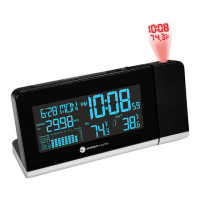
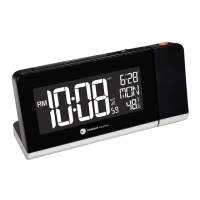
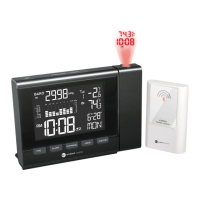
The Ambient Weather WS-8400 ClearView Projection Alarm Clock is a versatile device designed to provide time, temperature, and barometric pressure information with convenient projection and color-changing features. It serves as an alarm clock, a weather station, and a night light, making it a multi-functional addition to any home.

Function Description

The core function of the WS-8400 is to display time, date, indoor temperature, and outdoor temperature. It features a ClearView projection that can cast the time and temperature onto a wall or ceiling, allowing for easy viewing without needing to look directly at the display. The projection automatically scrolls between indoor and outdoor temperatures every 5 seconds, and additional channel sensors can be added to the scroll feature. The device also includes an alarm clock function with two independent alarms (ALARM1 and ALARM2) and a snooze feature.

A significant aspect of its weather station capabilities is the barometric pressure display. It shows both absolute (measured) and relative (corrected to sea-level) pressure, with units configurable to hPa, inHg, or mmHg. A barograph provides a visual representation of pressure trends over the last 72 hours, aiding in weather prediction. The graph displays pressure changes relative to the current pressure, with the oldest data on the left and the newest on the right.

The device also incorporates a unique color-changing feature for its LCD backlight. This can be set to a manual preference, allowing users to cycle through various colors, or to a "Temp Color" mode where the display color automatically changes based on the outdoor temperature range. This provides a quick visual indicator of the outdoor conditions.

Usage Features

The WS-8400 offers a range of user-friendly features for customization and convenience.

  • Time and Date Settings: Users can easily set the time, date, and language (English, French, German, Spanish, Italian). The time format can be switched between 12-hour and 24-hour modes.
  • Alarm Management: Two alarms can be set, and their on/off status can be toggled. When an alarm sounds, it can be silenced temporarily with the snooze function or turned off completely. The snooze function features a 4-step crescendo alarm that sounds every five minutes.
  • Projection Control: The projector can be turned on or off. When powered by the AC adapter, the projection can be set to be continuously on. When running on batteries, the projection is temporary to conserve power, activated by the SNOOZE/LIGHT button. The projected data can be rotated 180 degrees using the REVERSE button, and a FOCUS knob allows for adjusting the clarity of the projected image.
  • Backlight Control: The backlight can be turned on or off via a dedicated switch. When off, it can be temporarily activated by the SNOOZE/LIGHT button. A L/H Dim Switch allows users to select between high and low backlight brightness.
  • Barometric Pressure Customization: Users can switch between different barometric pressure units (hPa, inHg, mmHg) and toggle between absolute and relative pressure readings. The relative pressure can be calibrated to match official reporting stations, ensuring more accurate local weather predictions.
  • Memory and History Modes: The device stores minimum and maximum records for indoor temperature, outdoor temperature, and barometric pressure, which can be viewed in Memory Mode. A History Mode allows users to view hourly historical data for indoor temperature, outdoor temperature, and barometric pressure for the last 72 hours.
  • Wireless Sensor Management: The clock supports up to three wireless sensors. Users can view data from different channels and set the device to automatically scroll through them. The display includes a wireless signal strength indicator and a low battery indicator for the wireless sensor.
  • Low Temperature Notification: An alert icon flashes continuously when the outdoor temperature falls within the 28°F to 37°F (-2°C to 3°C) range, providing a visual warning for potential freezing conditions.
  • Color Changing Backlight: In manual mode, the LOOP ON/OFF button cycles through available backlight colors. In "Temp Color" mode, the backlight color automatically adjusts based on outdoor temperature ranges, offering an intuitive visual cue for current weather.

Maintenance Features

The WS-8400 is designed for straightforward maintenance, primarily involving power management and sensor synchronization.

  • Powering Up: The device requires a specific power-up sequence: first, insert batteries into the wireless transmitter, then connect the AC adapter to the clock and insert its batteries. This sequence is crucial for proper synchronization.
  • Reset Functionality: A RESET button on the back of the clock allows users to restore all values to default settings and can be used in case of malfunction. Similarly, the wireless sensor has a reset button for restarting the transmitter.
  • Battery Replacement: The display clock uses 3 x AA alkaline batteries, and the wireless transmitter uses 2 x AA alkaline batteries. The low battery indicator on the display alerts users when the wireless sensor batteries need replacement. For cold weather environments, lithium e2 Energizer batteries are recommended for the wireless transmitter.
  • Sensor Resynchronization: If wireless sensor communication is lost or intermittent, users can resync the sensor by pressing its SENSOR button. If the console itself loses synchronization or needs a full reset, disconnecting AC power and removing batteries for 10 seconds, or using the RESET button, will initiate a resynchronization process.
  • Adding Multiple Sensors: When adding additional wireless sensors, users need to set the channel number on each sensor and then reset the console to ensure proper detection and synchronization.
  • Troubleshooting Guide: The manual provides a troubleshooting guide to address common issues such as lost sensor communication, fuzzy projection, or dim display, offering solutions like checking power, adjusting focus, or performing resets.

Ambient Weather WS-8400 Specifications

General IconGeneral
Display TypeLCD
Time Format12/24 Hour
Snooze FunctionYes
Power SourceAC Adapter
Battery BackupYes

Related product manuals