Need help?
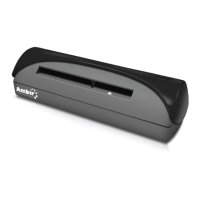
Do you have a question about the Ambir DocketPort 667 and is the answer not in the manual?
Guide to installing the scanner driver from the installation CD, including manual execution if auto-start fails.
Steps to uninstall the scanner driver, PageManager7, or Adobe Reader using the installation CD or Control Panel.
Instructions for connecting the USB cable to the scanner and computer, including troubleshooting detection issues.
Procedure to define the scanning source within the PageManager7 application for the first-time use or when switching scanners.
Steps to calibrate the scanner using the TWAIN interface and calibration target for optimal image quality.
Access to support via website (FAQs, troubleshooting) and email for assistance with DocketPORT products.
Contacting technical support by phone for immediate assistance, including recommended information to have ready.
Details on the limited warranty for the DocketPORT 667, including period, coverage, and exclusions.

 To Next Page
 General