
EasyManua.ls Logo

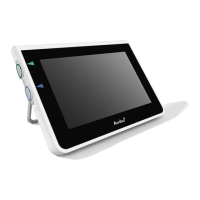
Ambu aView JANUS2-W08-R10 - User Manual

Ambu aView JANUS2-W08-R10
17 pages
Print Icon
To Next Page IconTo Next Page
Loading...
For use by trained clinicians/physicians only.
For in-hospital use.
For use with Ambu® visualization devices.
Further instruction details are available online: www.ambu.com
Instruction for Use
Ambu® aV ie w™

Questions and Answers

  • K
    Keith SantiagoAug 12, 2025
    What to do if there is no live image on Ambu Monitor?
    • R
      Rebecca Riley DDSAug 12, 2025
      If there is no live image on the Ambu Monitor screen, but the user interface is visible, or the image is frozen, it could be due to several reasons: * An Ambu visualization device might not be connected. Ensure it's connected to the blue or green port. * There may be communication issues. Try restarting the Ambu Monitor by pressing the power button for at least 2 seconds to turn it off, and then press it again to restart. * The Ambu visualization device could be damaged. Consider replacing it with a new one. * A recorded image might be displayed. Return to the live image by pressing the blue Live image tab, or restart the Ambu Monitor.
  • B
    boylejaneSep 1, 2025
    Why is the picture quality low on my Ambu aView JANUS2-W08-R10?
    • T
      tracy57Sep 1, 2025
      If you're experiencing low picture quality on your Ambu Monitor, consider the following: * **Light Reflection:** Move the Ambu Monitor to a location where direct light isn't affecting the screen. * **Dirty Screen:** Wipe the screen with a clean cloth. * **Brightness/Contrast:** Adjust the contrast and brightness settings in the Ambu Monitor's menu.
  • L
    Louis ScottNov 20, 2025
    How to fix Ambu aView JANUS2-W08-R10 Monitor video out not working?
    • P
      pestesNov 20, 2025
      If the video output on your Ambu Monitor isn't working, here's what you can check: 1. **No Live Image:** Ensure the external monitor is connected to the Ambu Monitor using the composite cable and is set to the correct input. The external monitor needs to support NTSC or PAL. Toggle between NTSC and PAL in the video out menu for the best results. Remember, the external monitor will only display a live image when the Ambu Monitor is also showing a live image. The image size is determined by the settings on the external monitor. 2. **Color Differences:** If the colors, brightness, and contrast look different on the external monitor compared to the Ambu Monitor screen, adjust these settings directly on the external monitor. 3. **Horizontal Lines (Noise):** If you see horizontal lines (nois...

Ambu aView JANUS2-W08-R10 Specifications

General IconGeneral
Weight1.2 kg
Battery Lifeup to 8 hours
Input Voltage100-240V AC, 50/60 Hz
ConnectivityWi-Fi, Bluetooth
TouchscreenYes
Operating SystemAndroid
Water ResistanceIP54

Related product manuals