Need help?
Do you have a question about the Amcrest AWC205-B and is the answer not in the manual?
The Amcrest 1080P ProStream HD Webcam (Model: AWC205-B) is a high-definition webcam designed for a variety of video communication and recording needs. This user manual provides comprehensive guidance on setting up, using, and optimizing the webcam, ensuring a smooth and effective experience for users across different operating systems.
The Amcrest ProStream HD Webcam is primarily designed to capture and transmit high-quality video and audio for applications such as video conferencing, online meetings, live streaming, and content creation. With its 1080P HD lens, it delivers crisp and clear video resolution, making it suitable for professional and personal use where visual clarity is paramount. The integrated microphone ensures that audio is captured effectively, providing a complete communication solution. The webcam is compatible with a wide range of operating systems, including Windows, Linux, and Mac, offering broad accessibility to users regardless of their preferred computing environment. Its plug-and-play functionality via a USB connection simplifies the setup process, allowing users to quickly integrate the device into their existing systems without the need for complex driver installations. The inclusion of activity LEDs provides visual feedback, indicating when the webcam is actively in use, which enhances user awareness and privacy.
The Amcrest ProStream HD Webcam offers several features that enhance its usability and adaptability to different environments.
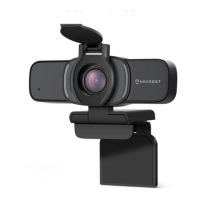
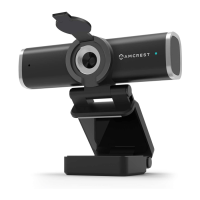
Versatile Placement Options: The webcam is equipped with an adjustable clip/base, providing multiple placement options.
Privacy Cover: A built-in privacy cover is included, which can be manually closed over the lens. This feature is crucial for user privacy and security, allowing users to physically block the camera lens when not in use, preventing accidental or unauthorized video capture.
Integrated Microphone: The webcam incorporates a built-in high-sensitivity microphone. This eliminates the need for external audio input devices in many scenarios, simplifying the setup and reducing clutter. The microphone is designed to capture clear audio, complementing the high-definition video output.
Plug-and-Play Connectivity: The webcam connects to a computer via a USB cable. Its plug-and-play design means that once connected to a USB port, the status indicator on the camera will illuminate, confirming a proper connection. The system will typically recognize the device automatically, allowing users to open their preferred video chat or recording software to begin using the camera without extensive configuration.
Activity LEDs: The presence of activity LEDs serves as a visual cue, indicating when the webcam is active and recording. This feature provides immediate feedback to the user, enhancing awareness of the webcam's operational status.
While the manual does not explicitly detail specific maintenance procedures, the design and general nature of webcams suggest standard care practices to ensure longevity and optimal performance.
Lens Care: The 1080P HD lens is a critical component for image quality. Users should ensure the lens remains clean and free from dust, smudges, or scratches. A soft, lint-free cloth should be used for gentle cleaning, avoiding harsh chemicals that could damage the lens coating. The privacy cover also contributes to lens protection when the webcam is not in use.
Cable Management: The USB cable is essential for connectivity and power. Users should avoid kinking, twisting, or placing heavy objects on the cable to prevent internal damage. Proper cable management can extend the life of the connection.
Storage: When not in use, especially for extended periods, storing the webcam in a clean, dry place away from extreme temperatures and direct sunlight can help preserve its components. Utilizing the privacy cover during storage is also beneficial.
Software Updates: Although the webcam is plug-and-play, ensuring that the computer's operating system and any video communication software are up-to-date can help maintain compatibility and potentially improve performance.
Audio Optimization: For users experiencing issues with audio quality, the manual suggests optimizing it using third-party software like Equalizer APO and its Peace GUI equalizer extension. While not a direct maintenance feature of the hardware, it provides a software-based solution for maintaining and improving the audio output quality over time.
The Amcrest ProStream HD Webcam is designed to be a reliable and user-friendly device, offering high-quality video and audio capture with flexible placement options and essential privacy features. Its straightforward setup and compatibility across major operating systems make it an accessible tool for a broad range of users.
 General
| Frame Rate | 30 fps |
|---|---|
| Connectivity | USB 2.0 |
| Lens | Fixed focus |
| Mounting | Clip-on |
| Compatibility | Windows, macOS |

 To Next Page