Need help?
Do you have a question about the Amcrest AWC5100 and is the answer not in the manual?
The Amcrest 5MP UltraHD ProStream Webcam, model AWC5100, is a high-definition webcam designed for a variety of video communication and recording needs. It offers a 5-megapixel resolution, providing crisp and clear video quality for streaming, video conferencing, and content creation. The webcam is designed for ease of use and versatility, making it suitable for both personal and professional applications.
The primary function of the Amcrest ProStream Webcam is to capture and transmit high-quality video and audio. It connects to a computer via a USB cable, acting as an external camera and microphone. The webcam is compatible with major operating systems, including Windows, Linux, and Mac, ensuring broad accessibility for users. Upon connection, a status indicator on the camera illuminates, confirming proper connection and readiness for use.
The webcam is equipped with a built-in microphone, which captures clear audio within a range of up to 16 feet (5 meters). This integrated audio capability eliminates the need for a separate microphone in many scenarios, simplifying setup and reducing clutter. The camera's lens is designed to provide a wide field of view, with horizontal, vertical, and diagonal angles of 65°, 40°, and 75° respectively, allowing for a comprehensive capture of the subject and surroundings.
While the camera's default resolution is 2MP, it is capable of achieving its full 5MP resolution when manually adjusted through third-party software applications such as Zoom, Skype, or Microsoft Teams. This flexibility allows users to optimize video quality based on their specific needs and the capabilities of their chosen video communication platform. The webcam supports various coding formats, including H.264, MJPEG, and YUV, ensuring compatibility with a wide range of software and streaming services. It also offers multiple video frame rates and resolutions, from VGA up to 5M (2592x1944) at 24fps, and 1080P at 5-30fps, providing options for different bandwidth and quality requirements.
The Amcrest ProStream Webcam is designed with several features that enhance its usability and adaptability to different environments.
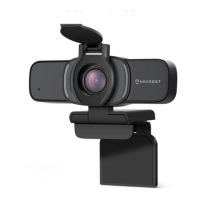
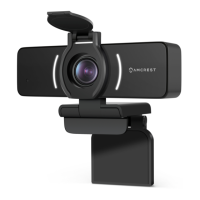
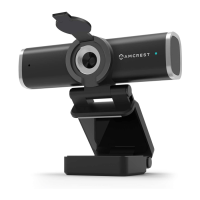
Adjustable Clip Base: The webcam features an adjustable clip base that allows for flexible placement. This base can be securely attached to a monitor, placed on a flat desktop surface, or mounted onto a tripod.
Privacy Cover: A significant usage feature is the integrated privacy cover. Located on top of the camera, a switch allows the user to slide the cover over the lens. This physical privacy cover provides an immediate and reliable way to ensure privacy when the webcam is not in use, addressing common concerns about digital security. The switch can be moved left and right to open or close the cover.
Status Indicators: The webcam includes status indicators that illuminate when the device is properly connected and in use. This visual feedback helps users confirm that the webcam is operational, preventing issues related to unrecognized devices or improper connections.
Software Compatibility: The webcam is designed to be plug-and-play with most modern operating systems. After connecting the USB cable, users can allow any necessary drivers or software to load automatically. It is then ready to be used with various video chat and recording software, such as Zoom, Skype, Microsoft Teams, and other third-party applications. The ability to manually adjust the resolution through these third-party applications provides users with control over their video output quality.
NetDesk Integration: Amcrest recommends NetDesk as a video communications tool that can be used in conjunction with the webcam. While not mandatory, this suggests optimized performance or additional features when used within the NetDesk ecosystem, providing users with a potential enhanced experience for their video communication needs.
The Amcrest ProStream Webcam is designed for straightforward maintenance, primarily focusing on ensuring its longevity and optimal performance.
Physical Cleaning: The exterior of the webcam, including the lens and body, can be gently cleaned to remove dust or smudges. For the lens, a soft, lint-free cloth is recommended to avoid scratching. The privacy cover mechanism also helps protect the lens from dust and damage when not in use, reducing the frequency of lens cleaning.
Software Updates: While the manual does not explicitly detail firmware updates, maintaining up-to-date operating system drivers and using current versions of video communication software can contribute to the webcam's stable performance and compatibility with new features or security enhancements. Amcrest's commitment to continuous improvement, as indicated by the "Information contained herein is subject to change without notice" disclaimer, suggests that software or driver updates might be released to enhance functionality or address issues.
Environmental Considerations: The webcam is designed to operate within a specific temperature range (-14°F to 122°F or -10°C to 50°C) and humidity levels (<95%). Adhering to these environmental guidelines helps prevent damage to internal components and ensures reliable operation over time. Storing the webcam in a dry, temperate environment when not in use, especially with the privacy cover closed, further protects it from dust and extreme conditions.
Cable Management: Proper handling of the USB cable is important for the webcam's longevity. Avoiding sharp bends, kinks, or excessive pulling on the cable helps prevent internal wire damage, which could lead to connectivity issues. The cable length of 6.88ft (2.1m) provides ample reach for most setups, reducing the need for extension cables that could introduce signal degradation.
In summary, the Amcrest 5MP UltraHD ProStream Webcam is a versatile and user-friendly device offering high-quality video and audio for various communication needs. Its flexible placement options, integrated privacy features, and broad software compatibility make it a practical choice for a wide range of users, while simple maintenance practices ensure its reliable performance over time.
 General
| Frame Rate | 30fps |
|---|---|
| Microphone | Built-in |
| Connectivity | USB 2.0 |
| Compatibility | Windows, Mac OS, Linux |
| Resolution | 1920x1080 |
| Mounting | Clip |


 To Next Page