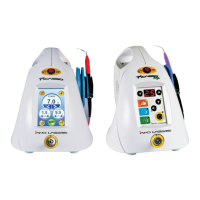
1615
| Operating Instructions Manual | Operating Instructions Manual
# ITEM DESCRIPTIONS
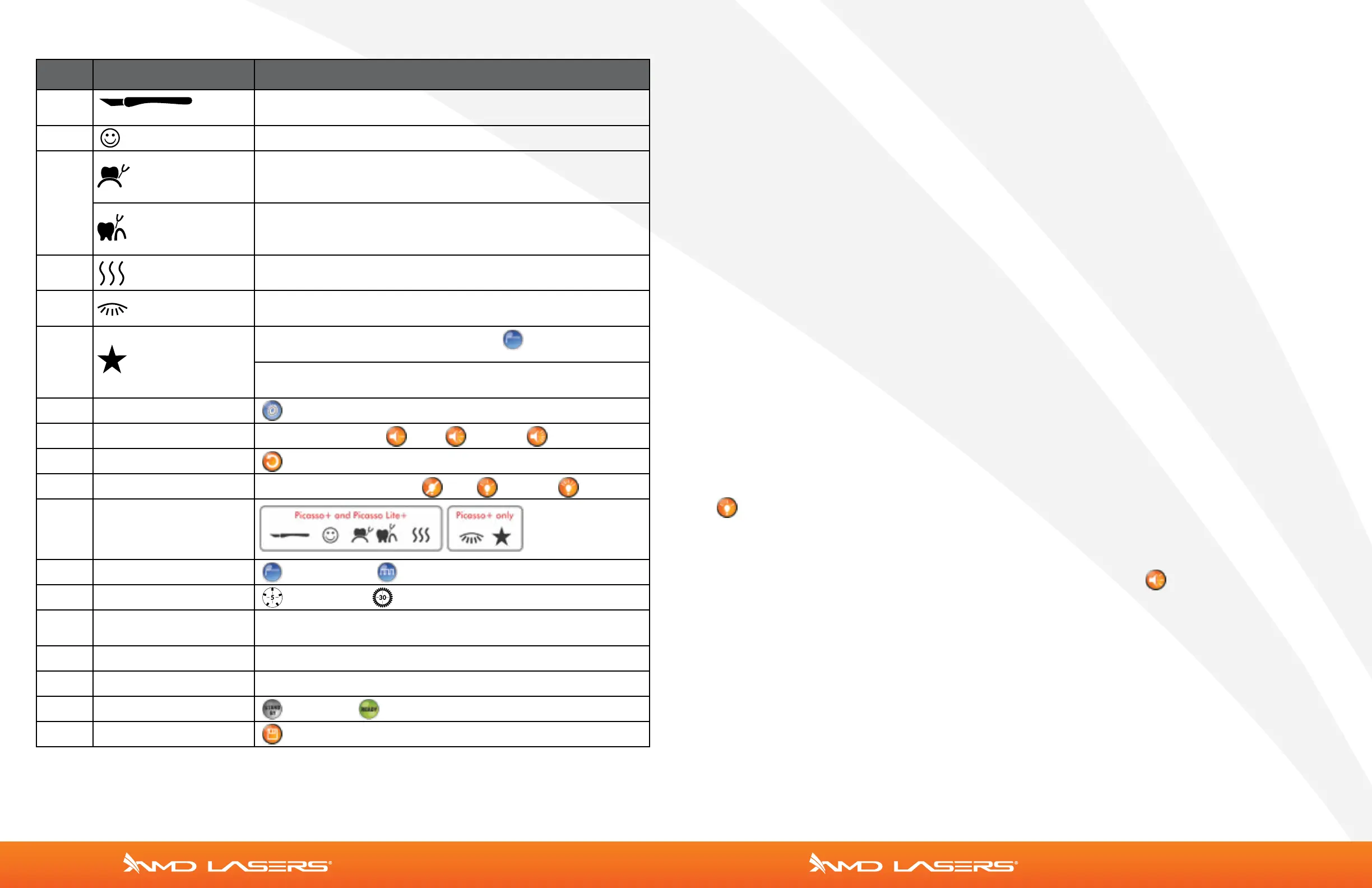
1
Speed/General Surgery
CONT MODE; POWER: 1.8W
2 Comfort POWER: 1.5W, INTERVAL: 30ms, DURATION: 30ms
3
Perio 1
POWER: 1.0W 30ms/30ms, TIMER: 5 sec.
LBR - Laser Bacterial Reduction Mode.
Tap timer icon (top right corner) to switch to PERIO 2
Perio 2
POWER: 0.5W, TIMER: 30 sec.
LAPT - Laser-Assisted Periodontal Therapy Mode.
Tap timer icon (top right corner) to switch to PERIO 1.
4 Apthous Ulcer
POWER: 0.5W, TIMER: 30 sec. Laser will stop after 30 seconds
and user must step on foot switch again to re-start the timer
5
Whitening
Picasso+ ONLY
POWER: 7.0W, TIMER: 30 sec. Laser will stop after 30 seconds
and user must step on foot switch again to re-start the timer.
6
Favorite
Picasso+ ONLY
CONT MODE: POWER: 1.0W. Toggle the icon to switch
between continuous and repeat mode.
REPEAT (PULSE) MODE: POWER: 1.0W,
INTERVAL: 30ms, DURATION: 30ms
7 Settings Language Selection, Aiming Beam, & Volume Settings
8 Volume Settings SPEAKER VOLUME: LOW MEDIUM HIGH
9 Return Back Button
10 Aiming Beam Settings AIMING BEAM INTENSITY: OFF MEDIUM HIGH
11 Presets
12 Modes Continuous or Repeating (Pulse)
Timers 5 seconds or 30 seconds
13 Power/Energy Display
0.5–7.0 W – TAP THE POWER DISPLAY TO SHOW ENERGY
DELIVERED
14 Interval 20 ms–9.9 sec, use the arrows to adjust
15 Duration 20 ms–9.9 sec, use the arrows to adjust
16 Standby/Ready Standby or Ready Button
17 Save Save Button
Programming Presets
Step 1: Select one of the six Presets (Picasso Plus) or one of the four presets (Picasso Lite Plus).
If the selected preset is a Continuous Mode, Interval and Duration are not available. Power is able
to be selected and saved as a preset.
If the selected preset is a Repeat Mode, all the parameters (Interval, Duration, and Power) can be
adjusted and saved as a preset. Use the arrow buttons to select desired interval and duration from
20ms to 9.9 sec.
Step 2: Power. Select desired power settings 0.5–7 W (0.5–3W for Picasso Lite Plus) using the arrow
buttons.
Step 3: Interval/Duration. Select desired interval and duration, available only on Repeat mode.
Step 4: Save. Save desired settings by pushing the Save button until the beep is heard.
Step 5: Ready. Push Standby button to put unit into Ready mode. Press the footswitch to fire the
laser.
Repeat steps 1–4 to program additional presets.
Language Selection
English is the default language. Nine other languages are available: Italian, French, Spanish,
Portuguese, Korean, Japanese, Russian, Chinese, and German.
To select another language, press the Settings button. The system will then enter into the
language selection display. Press desired language for two seconds, and the system will
restart in the chosen language.
Aiming Beam Brightness Settings
To select the brightness for aiming beam, first press the Settings button. Then press the
button to change the brightness settings. There are three levels for Picasso: Off,
Medium, and High.
Volume Settings
To select the volume, press the Settings button. Then press the button to change the
volume settings. There are three levels: Low, Medium, and High.
Custom/Favorite Preset (Picasso Plus Only)
The user is able to select Power, Interval, Duration, Cont, or Rep modes according to the
operation. Pressing the Save button stores the selected parameters. The data is saved
when the confirmation beep sound is heard.


 To Next Page
 Loading...