
 Need help?
Do you have a question about the AMEC CAMINO-108S and is the answer not in the manual?
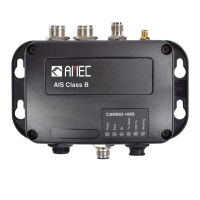
Details the CAMINO-108S as a smart combination of AIS Class B with an antenna splitter for sharing a single VHF antenna.
Lists all items included in the product package, including the transponder, cables, software CD, and user manual.
Provides a step-by-step guide for installing the transponder unit, VHF antenna, GPS antenna, and connecting to VHF radio and power.
Offers guidelines for selecting a suitable environment and mounting location for the AMEC CAMINO-108S, considering safety and accessibility.
Explains the importance of antenna quality and positioning for AIS performance, recommending placement and vertical/horizontal distances.
Details the correct connection of the VHF radio to the transponder unit, emphasizing the use of the VHF radio input port.
Describes how to connect the attached FM radio cable to the radio's female receptacle for optimal FM reception.
Guides on installing the GPS antenna for clear sky view and avoiding interference from high-power transmitters, with mounting details.
Explains the connection of NMEA 0183 devices, including baud rates, multiplexer function, and wiring instructions.
Details how to connect an external toggle switch or Tx Switch Box to enable the AIS Silent Mode function on the CAMINO-108S.
Describes how to connect the CAMINO-108S to an NMEA 2000 network using a T-connector and drop cable for data exchange.
Specifies the power requirements for the CAMINO-108S, including voltage, current, and the use of a fuse for protection.
Outlines the process of connecting the transponder to a PC or Mac for setup and diagnosis using the "AIS Configuration Tool".
Lists the necessary items for configuration, including USB driver, cable, compatible operating systems, and PC hardware.
Provides instructions for installing the "AIS Configuration Tool" software on Windows and Mac operating systems from the provided CD.
Details the three-step process to establish a connection between the AIS transponder and the PC/Mac via USB for configuration.
Describes the 'Home' page of the AIS Configuration Tool, showing pre-configured vessel data, GPS status, and other vessels.
Guides users on configuring vessel details, dimensions, and NMEA 0183 baud rates using the "Configuration" tab of the software.
Explains how the device starts up automatically when powered on and configured, and how to observe its status via LED lights.
Details the meaning of each LED indicator (Power, Error, Rx, Tx/Silent, VHF Tx, Warning) and their corresponding light states.
Describes the BIIT function that monitors device integrity, alerting with red LED for abnormal conditions like MMSI not set or VSWR issues.
Introduces the AIS Viewer software for displaying AIS targets, logging data, and tracing vessels, noting connection exclusivity with Configuration Software.
Provides information on connecting the AIS Device to a Macintosh computer and displaying targets via OpenCPN, with a link to support.
Lists applicable standards, VHF transponder, DSC receiver, GPS receiver, power supply, and connection interface specifications.
Provides detailed physical dimensions of the CAMINO-108S unit and the optional GPS antenna, including width, height, depth, and mounting details.
Lists the NMEA 2000 Parameter Group Numbers (PGNs) supported for transmitting and receiving data by the CAMINO-108S.
Details the NMEA 0183 sentences supported for transmit and receive functions, including their descriptions.
 General
| Brand | AMEC |
|---|---|
| Model | CAMINO-108S |
| Category | Cables and connectors |
| Language | English |

 To Next Page
