Need help?
Do you have a question about the American Dynamics ADCI625-P221 and is the answer not in the manual?
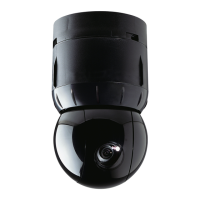
Flowchart outlining the steps for installing and accessing the Illustra 625 PTZ camera.
Details on the camera discovery tool and its functions for installation and configuration.
Procedure for installing the camera using the Illustra Connect discovery tool with DHCP.
Steps for installing the camera when a DHCP server is not available.
Procedures for accessing and exiting the camera's web-based graphical user interface.
Information on administrator, operator, and user account types and their access privileges.
Managing camera presets: creating, viewing, editing, and deleting positions.
Creating, running, and deleting camera movement patterns for automated surveillance.
Defining, enabling, disabling, and deleting privacy zones to mask specific areas.
Creating, activating, editing, and deleting sequences of camera presets.
Configuring alarm inputs and defining actions triggered by alarms.
Controlling Pan/Tilt/Zoom functions, including automatic flip and freeze frame.
Configuration of IPv4 and IPv6 network settings for camera connectivity.
Management of user accounts, including adding, password changes, and deletion.
Procedures for backing up, restoring, upgrading firmware, and resetting the camera.
 General
| Brand | American Dynamics |
|---|---|
| Model | ADCI625-P221 |
| Category | Security Camera |
| Language | English |

 To Next Page