Questions?, ¿Preguntas? 201.661.9945
©2011 AmerTac™
Saddle River Executive Centre,
One Route 17 South, Saddle River, NJ 07458
www.amertac.com
Made in China
Instruction Manual & Warranty
Indoor
1-Outlet Daily Timer
Limited One Year Warranty
AmerTac™ warrants this product to be free from defects in material and workmanship for a period of one
year from the date of purchase. AmerTac’s obligations are limited to repairing or replacing any defective unit
and are effective only if such units are returned within one year of the purchase date to AmerTac, 250 Boulder
Drive, Breinigsville, PA 18031. Warranty void if damage is due to misuse or improper installation. In no
circumstance will AmerTac be liable for consequential or incidental damages relating in any way to this product.
Represents timer that will come on
at 7:30PM and shut off at 10:30PM.
12
1
2
3
4
5
6
7
8
9
1
0
1
1
1
2
1
2
3
4
5
6
7
8
9
1
0
11
PM
AM
TIME
P
M
AM
AM
P
M
MIDNIGHT
NOON
TM01DHB
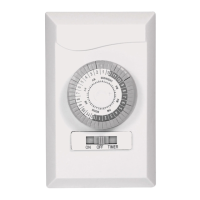
Setting On/Off Periods: Timer can set up to 48 On/Off commands a day. Using your finger, pen or screwdriver,
pull up all pins that correspond to desired “Off” time. For desired “On” time, make sure pins are pushed down.
Each pin represents 30 minutes: 2 pins = 1 hour.
Setting Time: Turn dial clockwise until triangular pointer is pointing at actual time. Be sure switch on top of
unit is set to TIMER ON.
Connection: Once desired On/Off times and actual time are set, plug timer into wall outlet, and plug lamp/device
into timer. Be sure wall outlet and lamp/device are turned on. Timer will start to operate, turning lamp/device
On/Off according to pre-set commands.
Manual On/Off: Pre-set On/Off commands can be interrupted by using manual override switch located on top
of unit. When switched to OUTLET ON, connected lamp/device is switched on permanently. To reactivate timer’s
control of lamp/device, turn lamp/device switch on and set timer’s override switch to TIMER ON.
In case of power failure, reset timer as explained above.
RATINGS:
125V~, 60Hz
15A, 1875W Resistive
10A, 1250W Tungsten
PRECAUTIONS:
- For indoor use only.
- Do not use with any device which exceeds capacity of timer.
- Always ensure that device plug is fully inserted into timer.
- If timer needs cleaning, unplug and wipe with a dry cloth.
- Do not immerse in water or any liquid.
FAN HEATERS AND HEATERS WITH EXPOSED ELEMENTS SHOULD NOT BE CONNECTED TO TIMERS.

 Need help?
 General

 To Next Page