Page 10 For technical questions, please call 1-888-866-5797. Item 64170
Inspection and Maintenance
Procedures not specifically explained in this manual
must be performed only by a qualified technician.
TO PREVENT SERIOUS INJURY FROM ELECTRICAL SHOCK:
Make sure that the Camera is OFF before performing any procedure in this section.
TO PREVENT SERIOUS INJURY FROM TOOL FAILURE:
Do not use damaged equipment. If abnormal noise or vibration
occurs, have the problem corrected before further use.
Inspection
1. BEFORE EACH USE, inspect the
general condition of the tool. Check for:
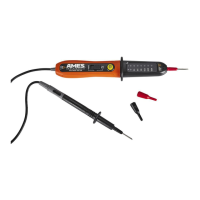
• condensation in Imager Head,
• cracked or damaged Cable,
• cracked or broken parts, and
• any other condition that may
affect its safe operation.
Cleaning and Storage
1. AFTER USE, use a mild detergent
on a clean cloth to remove any oil,
grease or dirt from the Camera,
especially on the buttons and ports,
being careful to not put excessive
pressure on the Display Screen.
2. Store the Camera, power supply,
cables and accessories in a locked
area out of the reach of children.
Troubleshooting
Problem Possible Causes Likely Solutions
Display is on, but does
not show image.
1. Cable connection loose.
2. Imager Head is dirty.
1. Check that Cable is connected.
2. Clean Imager Head.
Light is dim at maximum
brightness.
Low Battery. Charge Battery.
Display turns itself off. Low Battery. Charge Battery.
Camera will not turn on. Low or dead Battery. Charge Battery, if it won’t take a charge,
have it replaced by a qualified technician.
Follow all safety precautions whenever diagnosing or servicing the tool.
Disconnect power supply before service.


 To Next Page